- Protocol
- A2A
- Type
- SDK
- Stars
- 223
- License
- MIT
- Last push
- Oct 16, 2026
 by datalayer
About FastA2A
FastA2A is an open-source A2A SDK by datalayer, written mainly in Python. Framework-agnostic Python library that turns an agent into an A2A server. It has 223 GitHub stars and uses the MIT license, and its code was last pushed on Oct 16, 2026.
New to A2A? Our A2A Protocol guide explains how it works and lists other projects built on it.
At a glance
- Protocol
- A2A
- Type
- SDK
- Language
- Python
- License
- MIT
- GitHub stars
- 223
- Last push
- Oct 16, 2026
Listed from public GitHub data, checked 2026-11-08. Not scanned by AgenticMart.
Questions about FastA2A
What is FastA2A?
Framework-agnostic Python library that turns an agent into an A2A server It is listed as a A2A SDK, maintained in the datalayer/fasta2a repository on GitHub.
How do I install FastA2A?
The README in datalayer/fasta2a has the setup steps. Clone the repository with git clone https://github.com/datalayer/fasta2a.git and follow its instructions.
Is FastA2A an official A2A project?
No. It is a community project built on A2A, not published by the organisation that runs the protocol.
What license does FastA2A use?
It is published under the MIT license. Check the license file in the repository before using it commercially.
Is FastA2A still maintained?
Its code was last pushed on Oct 16, 2026, and it had 223 GitHub stars when we checked on 2026-11-08. Look at recent issues and releases in the repository for a fuller picture.
README
FastA2A


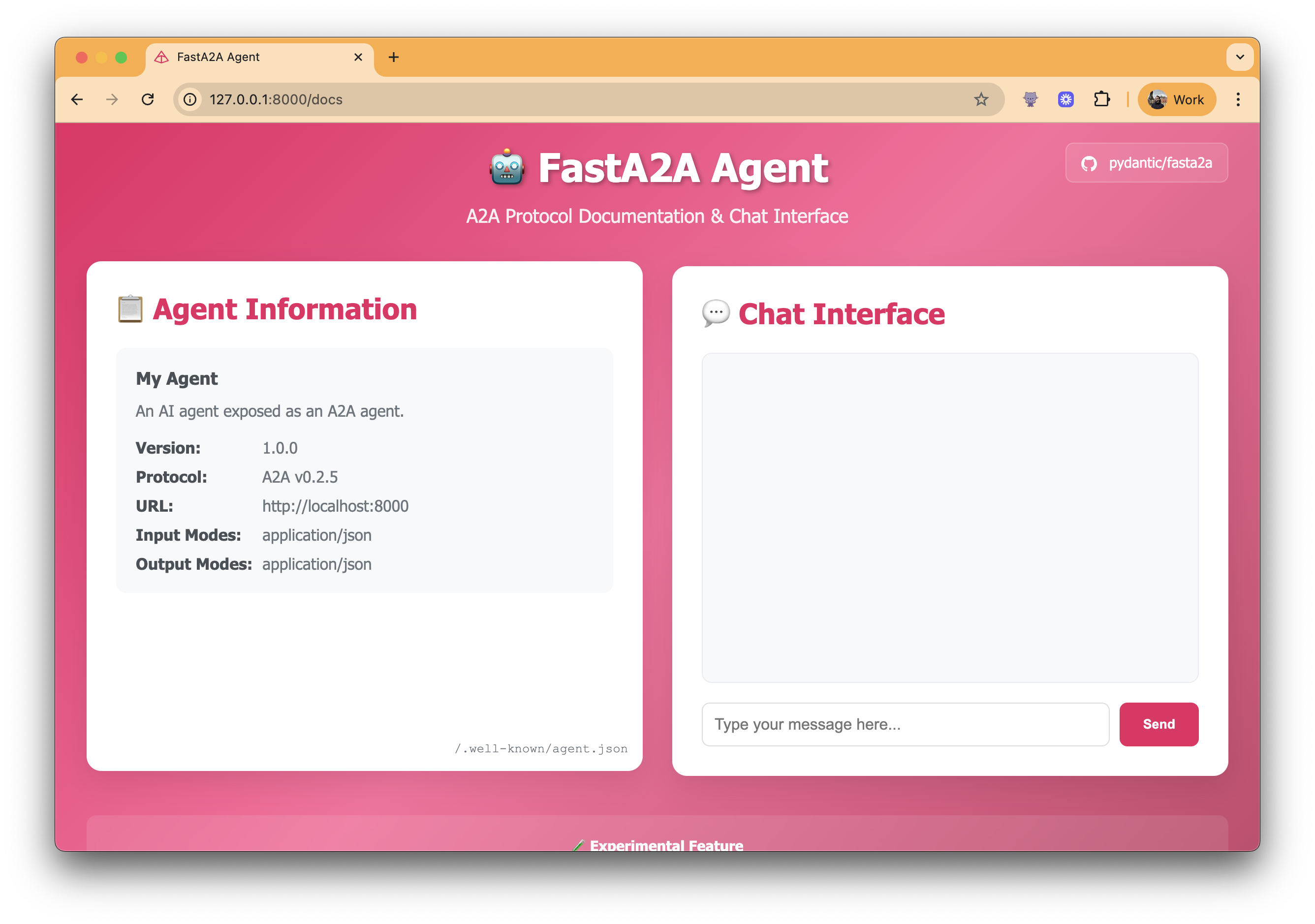
FastA2A is an agentic framework agnostic implementation of the A2A protocol in Python. The library is designed to be used with any agentic framework, and is not exclusive to Pydantic AI.
Installation
FastA2A is available on PyPI as fasta2a so installation is as simple as:
pip install fasta2a # or `uv add fasta2a`
The only dependencies are:
- starlette: to expose the A2A server as an ASGI application
- pydantic: to validate the request/response messages
- opentelemetry-api: to provide tracing capabilities
Usage
To use FastA2A, you need to bring the Storage, Broker and Worker components.
FastA2A was designed with the mindset that the worker could, and should live outside the web server. i.e. you can have a worker that runs on a different machine, or even in a different process.
You can use the InMemoryStorage and InMemoryBroker to get started, but you'll need to implement the Worker
to be able to execute the tasks with your agentic framework. Let's see an example:
import uuid
from collections.abc import AsyncIterator
from contextlib import asynccontextmanager
from typing import Any

from fasta2a import FastA2A, Worker
from fasta2a.broker import InMemoryBroker
from fasta2a.schema import Artifact, Message, Part, TaskIdParams, TaskSendParams
from fasta2a.storage import InMemoryStorage

Context = list[Message]
"""The shape of the context you store in the storage."""


class InMemoryWorker(Worker[Context]):
    async def run_task(self, params: TaskSendParams) -> None:
        task = await self.storage.load_task(params['id'])
        assert task is not None

        await self.storage.update_task(task['id'], state='working')

        context = await self.storage.load_context(task['context_id']) or []
        context.extend(task.get('history', []))

        # Call your agent here...
        message = Message(
            role='agent',
            parts=[Part(text=f'Your context is {len(context) + 1} messages long.')],
            message_id=str(uuid.uuid4()),
        )

        # Update the new message to the context.
        context.append(message)

        artifacts = self.build_artifacts(123)
        await self.storage.update_context(task['context_id'], context)
        await self.storage.update_task(task['id'], state='completed', new_messages=[message], new_artifacts=artifacts)

    async def cancel_task(self, params: TaskIdParams) -> None: ...

    def build_message_history(self, history: list[Message]) -> list[Any]: ...

    def build_artifacts(self, result: Any) -> list[Artifact]: ...


storage = InMemoryStorage()
broker = InMemoryBroker()
worker = InMemoryWorker(storage=storage, broker=broker)


@asynccontextmanager
async def lifespan(app: FastA2A) -> AsyncIterator[None]:
    async with app.task_manager:
        async with worker.run():
            yield


app = FastA2A(storage=storage, broker=broker, lifespan=lifespan)
You can run this example as is with uvicorn main:app --reload.
Using Pydantic AI
Initially, this FastA2A lived under Pydantic AI repository, but since we received community feedback, we've decided to move it to a separate repository.
[!NOTE] Other agentic frameworks are welcome to implement the
Workercomponent, and we'll be happy add the reference here.
Install the integration with the pydantic-ai extra:
pip install 'fasta2a[pydantic-ai]' # or `uv add 'fasta2a[pydantic-ai]'`
Then turn any pydantic_ai.Agent into an A2A-compatible ASGI app:
from pydantic_ai import Agent
from fasta2a.pydantic_ai import agent_to_a2a

agent = Agent('openai:gpt-5.5')
app = agent_to_a2a(agent)
You can run this example as is with uvicorn main:app --reload.
As you see, it's pretty easy from the point of view of the developer using your agentic framework.
[!NOTE] The bridge requires Pydantic AI 2.
Agent.to_a2a()was removed there;agent_to_a2ais its replacement.
Streaming
message/stream answers with server-sent events: the task first, then whatever the Worker
publishes while it runs — publish_status for a change of state, publish_artifact for a result,
whole or chunk by chunk with append=True — and the stream ends when the task reaches a final
state. The worker does not have to publish that end: once run_task or cancel_task returns, the
task's state is read back from storage and, if the task is over (completed, canceled, failed,
rejected) or waiting on the client (input-required, auth-required), published and the stream
closed — failed when the run raised — so a worker that only writes storage still ends its stream.
tasks/resubscribe on a task in one of those states returns the task and ends at once.
The Pydantic AI bridge publishes working when it starts, the model's text as chunks of the
answer's artifact while it is written, and the whole artifact as the last chunk.
Extensions
An extension is a capability negotiated by URI on top of the
core protocol. The agent declares the ones it supports in its card, a client asks for some of them in the
A2A-Extensions request header, and the agent answers on the same header with the ones it activated.
Declare them on the application (or pass extensions= to agent_to_a2a):
from fasta2a import AgentExtension, FastA2A

app = FastA2A(
    storage=storage,
    broker=broker,
    extensions=[
        AgentExtension(uri='https://example.com/ext/citations/v1', description='Cites its sources'),
        AgentExtension(uri='https://example.com/ext/trace/v1', required=True),
    ],
)
For every request, FastA2A activates the requested extensions it supports — a URI it never declared is
ignored and not echoed back, which is how the client learns that — and puts the activated list in the message
metadata, so a Worker can read what was agreed for the task it is running:
from fasta2a import activated_extensions


class MyWorker(Worker[Context]):
    async def run_task(self, params: TaskSendParams) -> None:
        if 'https://example.com/ext/citations/v1' in activated_extensions(params):
            ...  # add citation parts to the artifacts
A message/send or message/stream that leaves a required extension inactive is refused with a
-32600 error whose data.missing_required_extensions names it, before any task is created.
Output modes
The card says which media types the agent answers in: default_output_modes (and default_input_modes)
on the application, application/json when unsaid, and each Skill's own output_modes. A mode that is not
a media type (type/subtype) is refused when the application is made.
app = FastA2A(
    storage=storage,
    broker=broker,
    default_input_modes=['text/plain'],
    default_output_modes=['text/markdown', 'application/x-ipynb+json'],
)
A client names the media types it accepts for a request in its configuration (acceptedOutputModes), and
the worker reads them from its task's params, accepted_output_modes, absent when the client named none.
What the worker gives in those modes goes in its artifacts, each part carrying its media_type:
class MyWorker(Worker[Context]):
    async def run_task(self, params: TaskSendParams) -> None:
        if 'application/x-ipynb+json' in params.get('accepted_output_modes', []):
            ...  # add an artifact with a part of that media type
Design
FastA2A is built on top of Starlette, which means it's fully compatible with any ASGI server.
Given the nature of the A2A protocol, it's important to understand the design before using it, as a developer you'll need to provide some components:
- Storage: to save and load tasks and the conversation context
- Broker: to schedule tasks
- Worker: to execute tasks
Let's have a look at how those components fit together:
flowchart TB
    Server["HTTP Server"] <--> |Sends Requests/<br>Receives Results| TM

    subgraph CC[Core Components]
        direction RL
        TM["TaskManager<br>(coordinates)"] --> |Schedules Tasks| Broker
        TM <--> Storage
        Broker["Broker<br>(queues & schedules)"] <--> Storage["Storage<br>(persistence)"]
        Broker --> |Delegates Execution| Worker
    end

    Worker["Worker<br>(implementation)"]
FastA2A allows you to bring your own Storage, Broker and Worker.
You can also leverage the in-memory implementations of Storage and Broker by using
the InMemoryStorage and InMemoryBroker:
from fasta2a import InMemoryStorage, InMemoryBroker

storage = InMemoryStorage()
broker = InMemoryBroker()
Tasks and Context
FastA2A is designed to be opinionated regarding the A2A protocol. When the server receives a message, according to the specification, the server can decide between:
- Send a stateless message back to the client
- Create a stateful Task and run it on the background
FastA2A will always create a Task and run it on the background (on the Worker).
[!NOTE] You can read more about it here.
-
Task: Represents one complete execution of an agent. When a client sends a message to the agent, a new task is created. The agent runs until completion (or failure), and this entire execution is considered one task. The final output should be stored as a task artifact.
-
Context: Represents a conversation thread that can span multiple tasks. The A2A protocol uses a
context_idto maintain conversation continuity:- When a new message is sent without a
context_id, the server generates a new one - Subsequent messages can include the same
context_idto continue the conversation - All tasks sharing the same
context_idhave access to the complete message history
- When a new message is sent without a
Storage
The Storage component serves two purposes:
- Task Storage: Stores tasks in A2A protocol format, including their status, artifacts, and message history
- Context Storage: Stores conversation context in a format optimized for the specific agent implementation
This design allows for agents to store rich internal state (e.g., tool calls, reasoning traces) as well as store task-specific A2A-formatted messages and artifacts.
License
This project is licensed under the MIT License - see the LICENSE file for details.
More A2A projects
All 20 →
A2A
Specification and documentation for the Agent2Agent protocol
A2A Python SDK
Python SDK for building A2A clients and servers

tRPC-Agent-Go
Go agent framework with A2A, AG-UI and MCP integration