- Protocol
- MCP Gateways
- Type
- Server
- Stars
- 9.4k
- License
- Apache-2.0
- Last push
- Nov 8, 2026
Bifrost MCP Gateways server
 by maximhq
AI gateway in Go that also acts as an MCP gateway
About Bifrost
Bifrost is an open-source MCP Gateways server by maximhq, written mainly in Go. AI gateway in Go that also acts as an MCP gateway. It has 9,432 GitHub stars and uses the Apache-2.0 license, and its code was last pushed on Nov 8, 2026.
New to MCP Gateways? Our MCP Gateways guide explains how it works and lists other projects built on it.
At a glance
- Protocol
- MCP Gateways
- Type
- Server
- Language
- Go
- License
- Apache-2.0
- GitHub stars
- 9,432
- Last push
- Nov 8, 2026
- Latest release
- @maximhq/bifrost 1.6.3
- Released
- May 20, 2026
Listed from public GitHub data, checked 2026-11-08. Not scanned by AgenticMart.
Questions about Bifrost
What is Bifrost?
AI gateway in Go that also acts as an MCP gateway It is listed as a MCP Gateways server, maintained in the maximhq/bifrost repository on GitHub.
How do I install Bifrost?
The project's README gives this command: npx -y @maximhq/bifrost. Read the README for setup steps and requirements before running it.
Is Bifrost an official MCP Gateways project?
No. It is a community project built on MCP Gateways, not published by the organisation that runs the protocol.
What license does Bifrost use?
It is published under the Apache-2.0 license. Check the license file in the repository before using it commercially.
Is Bifrost still maintained?
Its code was last pushed on Nov 8, 2026, and it had 9,432 GitHub stars when we checked on 2026-11-08. Look at recent issues and releases in the repository for a fuller picture.
README
Bifrost AI Gateway
<a href="https://trendshift.io/repositories/14529?utm_source=repository-badge&utm_medium=badge&utm_campaign=badge-repository-14529" target="_blank" rel="noopener noreferrer"><img src="https://trendshift.io/api/badge/repositories/14529" alt="maximhq%2Fbifrost | Trendshift" width="250" height="55"/></a>






The fastest way to build AI applications that never go down
Bifrost is a high-performance AI gateway that unifies access to 23+ providers (OpenAI, Anthropic, AWS Bedrock, Google Vertex, and more) through a single OpenAI-compatible API. Deploy in seconds with zero configuration and get automatic failover, load balancing, semantic caching, and enterprise-grade features.
Quick Start
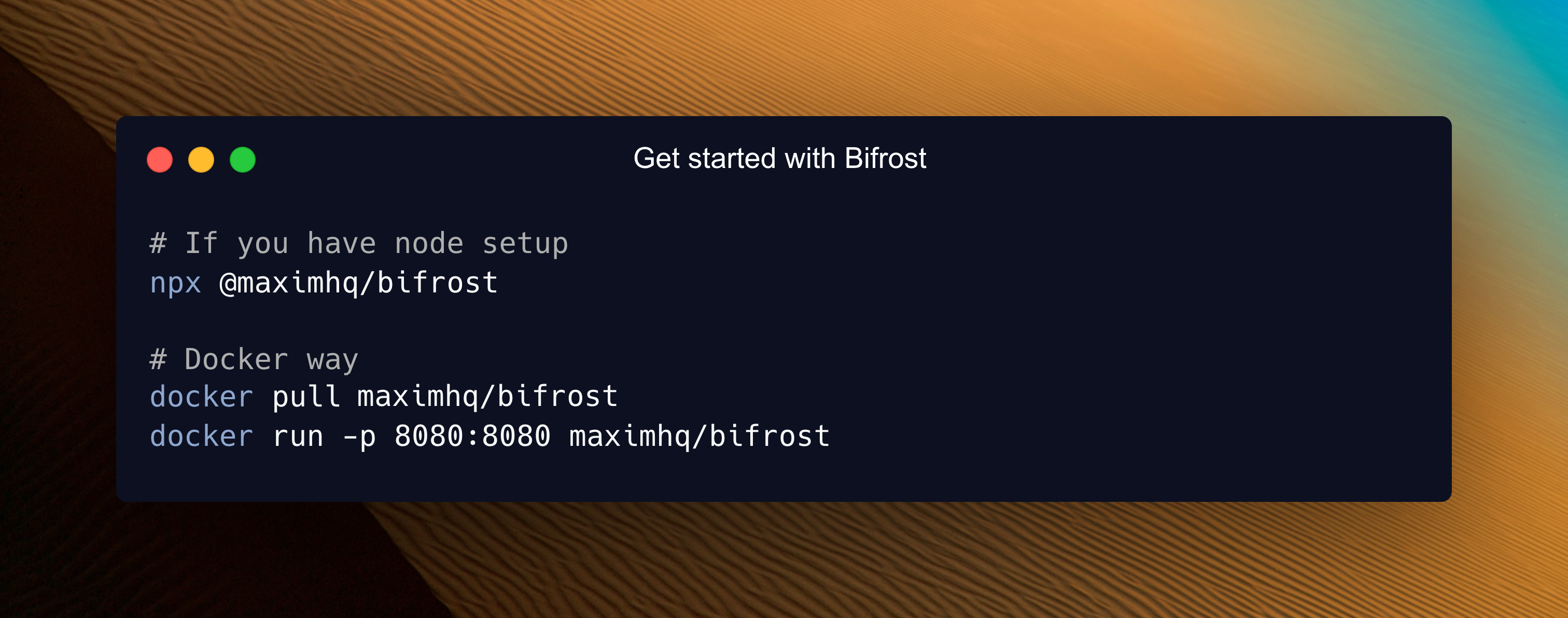
Go from zero to production-ready AI gateway in under a minute.
Step 1: Start Bifrost Gateway
# Install and run locally
npx -y @maximhq/bifrost

# Or use Docker
docker run -p 8080:8080 maximhq/bifrost
Step 2: Configure via Web UI
# Open the built-in web interface
open http://localhost:8080
Step 3: Make your first API call
curl -X POST http://localhost:8080/v1/chat/completions \
  -H "Content-Type: application/json" \
  -d '{
    "model": "openai/gpt-4o-mini",
    "messages": [{"role": "user", "content": "Hello, Bifrost!"}]
  }'
That's it! Your AI gateway is running with a web interface for visual configuration, real-time monitoring, and analytics.
Complete Setup Guides:
- Gateway Setup - HTTP API deployment
- Go SDK Setup - Direct integration
Enterprise Deployments
Bifrost supports enterprise-grade, private deployments for teams running production AI systems at scale. In addition to private networking, custom security controls, and governance, enterprise deployments unlock advanced capabilities including adaptive load balancing, clustering, guardrails, MCP gateway, and other features designed for enterprise-grade scale and reliability.
<img src=".github/assets/features.png" alt="Book a Demo" width="100%" style="margin-top:5px;"/> <div align="center" style="display: flex; flex-direction: column;"> <a href="https://calendly.com/maximai/bifrost-demo"> <img src=".github/assets/book-demo-button.png" alt="Book a Demo" width="170" style="margin-top:5px;"/> </a> <div> <a href="https://www.getmaxim.ai/bifrost/enterprise" target="_blank" rel="noopener noreferrer">Explore enterprise capabilities</a> </div> </div>Key Features
Core Infrastructure
- Unified Interface - Single OpenAI-compatible API for all providers
- Multi-Provider Support - OpenAI, Anthropic, AWS Bedrock, Google Vertex, Azure, Cerebras, Cohere, Mistral, Ollama, Groq, and more
- Automatic Fallbacks - Seamless failover between providers and models with zero downtime
- Load Balancing - Intelligent request distribution across multiple API keys and providers
Advanced Features
- Model Context Protocol (MCP) - Enable AI models to use external tools (filesystem, web search, databases)
- Semantic Caching - Intelligent response caching based on semantic similarity to reduce costs and latency
- Multimodal Support - Support for text, images, audio, and streaming, all behind a common interface.
- Custom Plugins - Extensible middleware architecture for analytics, monitoring, and custom logic
- Governance - Usage tracking, rate limiting, and fine-grained access control
Enterprise & Security
- Budget Management - Hierarchical cost control with virtual keys, teams, and customer budgets
- User Provisioning (OIDC) - OAuth 2.0 / OIDC login with background directory sync for teams, roles, and business units
- Observability - Native Prometheus metrics, distributed tracing, and comprehensive logging
- Secrets Management - Secure API key management with environment variables and deployment secrets
Developer Experience
- Zero-Config Startup - Start immediately with dynamic provider configuration
- Drop-in Replacement - Replace OpenAI/Anthropic/GenAI APIs with one line of code
- SDK Integrations - Native support for popular AI SDKs with zero code changes
- Configuration Flexibility - Web UI, API-driven, or file-based configuration options
Repository Structure
Bifrost uses a modular architecture for maximum flexibility:
bifrost/
├── npx/                 # NPX script for easy installation
├── core/                # Core functionality and shared components
│   ├── providers/       # Provider-specific implementations (OpenAI, Anthropic, etc.)
│   ├── schemas/         # Interfaces and structs used throughout Bifrost
│   └── bifrost.go       # Main Bifrost implementation
├── framework/           # Framework components for data persistence
│   ├── configstore/     # Configuration storage backends
│   ├── logstore/        # Request logging storage backends
│   └── vectorstore/     # Vector storages
├── transports/          # HTTP gateway and other interface layers
│   └── bifrost-http/    # HTTP transport implementation
├── ui/                  # Web interface for HTTP gateway
├── plugins/             # Extensible plugin system
│   ├── governance/      # Budget management and access control
│   ├── jsonparser/      # JSON parsing and manipulation utilities
│   ├── logging/         # Request logging and analytics
│   ├── maxim/           # Maxim's observability integration
│   ├── mocker/          # Mock responses for testing and development
│   ├── semanticcache/   # Intelligent response caching
│   └── telemetry/       # Monitoring and observability
├── docs/                # Documentation and guides
└── tests/               # Comprehensive test suites
Getting Started Options
Choose the deployment method that fits your needs:
1. Gateway (HTTP API)
Best for: Language-agnostic integration, microservices, and production deployments
# NPX - Get started in 30 seconds
npx -y @maximhq/bifrost

# Docker - Production ready
docker run -p 8080:8080 -v $(pwd)/data:/app/data maximhq/bifrost
Features: Web UI, real-time monitoring, multi-provider management, zero-config startup
Learn More: Gateway Setup Guide
2. Go SDK
Best for: Direct Go integration with maximum performance and control
go get github.com/maximhq/bifrost/core
Features: Native Go APIs, embedded deployment, custom middleware integration
Learn More: Go SDK Guide
3. Drop-in Replacement
Best for: Migrating existing applications with zero code changes
# OpenAI SDK
- base_url = "https://api.openai.com"
+ base_url = "http://localhost:8080/openai"

# Anthropic SDK
- base_url = "https://api.anthropic.com"
+ base_url = "http://localhost:8080/anthropic"

# Google GenAI SDK
- api_endpoint = "https://generativelanguage.googleapis.com"
+ api_endpoint = "http://localhost:8080/genai"
Learn More: Integration Guides
Performance
Bifrost adds virtually zero overhead to your AI requests. In sustained 5,000 RPS benchmarks, the gateway added only 11 µs of overhead per request.
| Metric | t3.medium | t3.xlarge | Improvement |
|---|---|---|---|
| Added latency (Bifrost overhead) | 59 µs | 11 µs | -81% |
| Success rate @ 5k RPS | 100% | 100% | No failed requests |
| Avg. queue wait time | 47 µs | 1.67 µs | -96% |
| Avg. request latency (incl. provider) | 2.12 s | 1.61 s | -24% |
Key Performance Highlights:
- Perfect Success Rate - 100% request success rate even at 5k RPS
- Minimal Overhead - Less than 15 µs additional latency per request
- Efficient Queuing - Sub-microsecond average wait times
- Fast Key Selection - ~10 ns to pick weighted API keys
Complete Benchmarks: Performance Analysis
Documentation
Complete Documentation: https://docs.getbifrost.ai
Quick Start
- Gateway Setup - HTTP API deployment in 30 seconds
- Go SDK Setup - Direct Go integration
- Provider Configuration - Multi-provider setup
Features
- Multi-Provider Support - Single API for all providers
- MCP Integration - External tool calling
- Semantic Caching - Intelligent response caching
- Fallbacks & Load Balancing - Reliability features
- Budget Management - Cost control and governance
Integrations
- OpenAI SDK - Drop-in OpenAI replacement
- Anthropic SDK - Drop-in Anthropic replacement
- AWS Bedrock SDK - AWS Bedrock integration
- Google GenAI SDK - Drop-in GenAI replacement
- LiteLLM SDK - LiteLLM integration
- LangChain SDK - LangChain integration
Enterprise
- Custom Plugins - Extend functionality
- Clustering - Multi-node deployment
- Secrets Management - Secure key management
- Production Deployment - Scaling and monitoring
Need Help?
Join our Discord for community support and discussions.
Get help with:
- Quick setup assistance and troubleshooting
- Best practices and configuration tips
- Community discussions and support
- Real-time help with integrations
Contributing
We welcome contributions of all kinds! See our Contributing Guide for:
- Setting up the development environment
- Code conventions and best practices
- How to submit pull requests
- Building and testing locally
For development requirements and build instructions, see our Development Setup Guide.
License
This project is licensed under the Apache 2.0 License - see the LICENSE file for details.
Built with ❤️ by Maxim
More MCP Gateways projects
All 19 →
agentgateway
Rust proxy for AI agents and MCP servers

ContextForge
Gateway and registry in front of MCP, A2A and REST or gRPC APIs

MCPHub
Self-hosted gateway and control plane for MCP servers