DeepPaperNote Agent Skill
 by 917Dhj
DeepPaperNote is an agent skill for deep-reading a single paper and generating high-quality Obsidian-style research notes. Works with Claude Code, Codex, Cursor, Copilot, Gemini CLI, and more.
DeepPaperNote is an open-source agent skill by 917Dhj, written mainly in Python, with 1,278 GitHub stars and the MIT license. Its code was last updated Nov 1, 2026.
DeepPaperNote
Turn one complex paper into an Obsidian note you will actually want to keep.





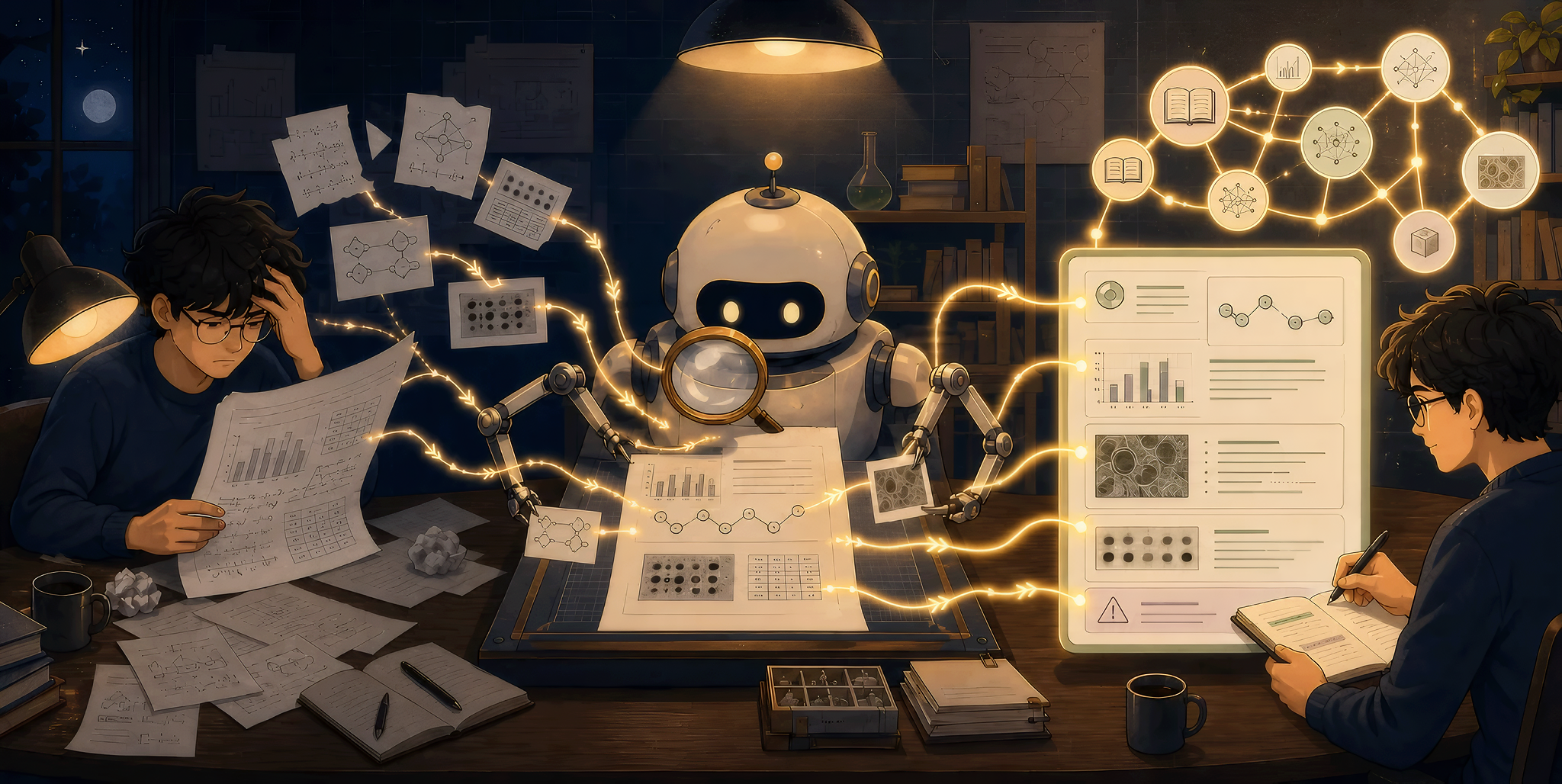
When you study an important paper, the hard part is rarely the reading. It is turning what you understood into a note you can still use later. Finding the source, matching figures to the text, copying numbers over, and tracing the method often take the better part of a day. And the papers you have read end up scattered, with nothing connecting one to another.
DeepPaperNote is an agent skill that runs in Claude Code, Codex, and any other agent that supports skills. Hand it a paper, and it reads the full text, writes an illustrated deep-reading note, saves it into your Obsidian vault, and links it to the other papers you have read. Every paper you read grows your academic wiki a little.
- 🚀 One sentence, one note. No prompts to learn, no templates to set up. Say "Generate a deep-reading note for this paper" with a title, DOI, arXiv ID, or PDF, and it finds the paper, reads it in full, extracts the figures, and saves the note into your vault.
- 🎓 Reads like a domain expert. From CS and AI to medicine, psychology, and the humanities, from new methods and benchmarks to surveys and clinical trials, your papers can all go to DeepPaperNote. Each of 10 paper types gets its own way of reading, drawn from more than 50 reviewer guidelines and reporting standards such as the NeurIPS review criteria and CONSORT, and tested on 34 real papers.
- 🎯 Accurate and complete. Every conclusion traces back to the paper, numbers come straight from its text and tables, and every main experiment is covered. When the paper does not report something, the note says so instead of guessing. Before saving, every note goes through an independent review and a strict quality check, and when the full text cannot be read, it never makes one up.
- 🖼️ Figures, tables, and formulas in the text. Figures and tables are cropped from the PDF and placed right where the note discusses them, and key formulas render in Obsidian. No more flipping back to the PDF.
- 🧠 A vault that knows you better the more you use it. Each note links to related papers in your vault and goes into the domain folders you already use. Record your research directions, and each note's Takeaways tell you what the paper means for your own work.
📰 News
- [v3.0.0] 🎓 Notes read each paper by its type: 10 paper types each get their own way of reading and note structure, every figure is visually reviewed before it enters the note, and an independent quality review runs before saving. Release notes
- [v3.0.0] 🧠 Every note joins your vault: notes gain Takeaways and Connections sections and carry structured properties, and two new skills,
research-memoryandorganize-wiki, tailor the takeaways to your research directions and keep your domain folders in order. - [v2.3.1] 🔌 Added support for DeepPaperNote Connector: papers you save from your browser can get their notes in the same paper directory. Release notes
News lists only the three most recent user-facing milestones. See the changelog and GitHub Releases for the full history.
🚀 Quick Start
1. Install
Claude Code: install from the plugin marketplace
claude plugin marketplace add 917Dhj/DeepPaperNote
claude plugin install deeppapernote@deeppapernote
Codex and other agents that support skills: install with the skills CLI
npx skills add 917Dhj/DeepPaperNote
The plugin installs all four skills at once. The skills CLI lets you choose which skills to install and which agents receive them. To try it out, deeppapernote alone is enough; see below for what the other three do.
2. Install the PDF dependency
python3 -m pip install PyMuPDF
Python 3.10 or newer is required. If you use uv, run uv pip install PyMuPDF in the Python environment DeepPaperNote will use.
3. Read a paper
Tell your agent in one sentence, with the paper's title, DOI, URL, arXiv ID, or local PDF:
Generate a deep-reading note for this paper: <paper>
Turn this paper into an Obsidian note: <paper>
You can also call it with the slash command /deeppapernote <paper>.
The first time, it asks you two things: whether notes should be in English or Chinese, and whether to save them in the current workspace or your Obsidian vault. It remembers your answers and does not ask again. To use a different language or location for one paper, just say so in the request. For environment variables and other settings, see User Configuration.
4. Update to a new version
Claude Code:
claude plugin marketplace update deeppapernote
claude plugin update deeppapernote@deeppapernote
Restart Claude Code to apply the update.
skills CLI:
npx skills update
👀 What a Note Looks Like

Every note has three parts: the opening and closing are the same for every paper, and the body in between follows the paper's type.
| Part | Sections |
|---|---|
| Opening | Core Information · Abstract · Contributions · One-Sentence Summary |
| Body | Method paper: Background and Problem → Limitations of Prior Work → Key Idea and Challenges → Method → Experimental Evidence → Deep Analysis<br>Benchmark: Evaluation Gap → Task and Design Goals → Construction and Quality Control → Evaluation Framework → Findings → What It Really Measures<br>Survey: Scope and Search → Taxonomy → Directions → Consensus, Disagreement, and Gaps<br>…10 paper types in all |
| Closing | Limitations · Takeaways · Connections · My Notes |
The closing sections are where the note meets your vault:
- Takeaways: Transferable Ideas and Next Steps, covering which of the paper's ideas carry over to other problems and what to do after reading it. Once you set up research memory, this part is written against your own research directions.
- Connections: links to related paper notes in your vault, and the key prior work you need to understand this paper.
- My Notes: yours to write in, and kept exactly as it is when the note is regenerated.
Each paper gets its own folder, and figures and tables are named after their labels in the paper:
<your papers folder>/
└── NLP/                       ← domain folder, reusing the ones you already have
    └── Attention_Is_All_You_Need/
        ├── Attention_Is_All_You_Need.en.md
        └── images/
            ├── figure_1.png
            └── table_2.png
Each note opens with structured properties you can query and filter with Obsidian Bases, for example to list every benchmark paper you have read, or everything you read this month:
paper_type: benchmark_or_dataset
methods: [...]
datasets: [...]
tasks: [...]
read_date: 2026-11-08
🧩 From Paper to Wiki
DeepPaperNote reads each paper deeply and saves it well. The other three skills are optional companions that look after your vault as a whole.
| Skill | What it does for you | How to call it |
|---|---|---|
deeppapernote | Core. Deep-reads one paper and saves an illustrated note into your vault, linked to the other papers you have read. | "Generate a deep-reading note for this paper: <paper>"<br>or /deeppapernote |
research-memory | Keeps a research memory for you: it records the research directions you are working on and follows them as you read. With it, DeepPaperNote writes each note's Takeaways against your directions, so the next note knows you better. | "Build my research memory"<br>or /research-memory |
organize-wiki | Organizes your vault: it sorts out the domain categories, moves papers filed under the wrong domain, and fixes their domain tags. The categories it settles become what DeepPaperNote follows when it files new papers. | "Organize my paper library"<br>or /organize-wiki |
paper-glossary | Builds a glossary for your vault: it turns a paper's key concepts into reusable term notes and links them back into the paper's text. The same term in different papers points to the same term note. | "Build glossary notes for this paper"<br>or /paper-glossary |
A good rhythm: read a few papers with DeepPaperNote first; once your vault has some notes, build a research memory; when the papers pile up and the categories start to drift, organize the vault.
✅ Notes You Can Trust
- A deep read, not a summary. Every note answers all the core questions of its paper type, and states plainly where the paper does not report something.
- Grounded in the paper. Conclusions and numbers in the note come from the paper itself, with nothing invented or guessed.
- No full text, no note. If only the abstract is available, it stops and asks you for the paper instead of handing over a note that only looks complete.
- Every figure is checked. Each figure and table is visually reviewed before it enters the note; a crop that is incomplete or does not match the text stays out.
- A final check before saving. An independent review checks the note for errors and omissions, and the note is fixed before it is saved.
- Your existing notes are safe. An existing note is never silently overwritten, and regenerating a note keeps its My Notes section exactly as it is.
More than words: we run regression tests on 34 real papers covering all 10 paper types, and in a blind evaluation on 6 sample papers with our internal rubric, the average score rose from 73.6 to 84.2 (out of 100) after the type-specific redesign.
🔧 Optional Enhancements
DeepPaperNote reads ordinary digital PDFs without any of these. Add them as you need:
| Enhancement | What it does for you | How to turn it on |
|---|---|---|
| DeepPaperNote Connector | Saves a paper from your browser into your Obsidian paper library in one click, so its note can later be written in the same folder | Install the browser extension; it currently supports Chrome on macOS |
| Zotero | Uses the item and PDF already in your Zotero library, with no searching or downloading again | In Zotero 7, open Settings → Advanced and check "Allow other applications on this computer to communicate with Zotero"; it is used automatically from then on |
| Semantic Scholar API key | Finds the right title, authors, and venue even for papers that are hard to identify | Set the environment variable SEMANTIC_SCHOLAR_API_KEY |
| OCR | Recovers the text of scanned or poor-quality PDFs | Install Tesseract and pytesseract |
For any of these, you can also ask your agent to check your environment and set it up for you.
🛠️ Troubleshooting
When something goes wrong, the easiest fix is to ask your agent:
- Installed, but it does not work: say "Check DeepPaperNote's environment." It tells you what is missing, covering Python and PyMuPDF, your Obsidian settings, and optional enhancements such as Zotero and OCR.
- A note stopped partway or was not saved: say "Where did this DeepPaperNote run stop?" It tells you where it got stuck, what is missing, and what to do next.
Intermediate files are kept under ~/.deeppapernote/runs/, one directory per paper, and are not cleaned up automatically. Delete them by hand if they take up too much space.
If that does not solve it, please open an issue.
🧭 Inspirations
DeepPaperNote was influenced by projects that take paper reading, evidence extraction, and note generation seriously, especially:
🤝 Contributing
Pull requests should target develop, not main. Before submitting, run the tests and lint locally:
python3 -m pip install -e '.[dev]'
python3 -m pytest -q -n auto
python3 -m ruff check skills tests
The workflow is defined in skills/deeppapernote/SKILL.md. Changes that may affect note quality should be evaluated with evals/regression-workflow.md and evals/note-quality-rubric.md.
Star History

DeepPaperNote alternatives
View more →Similar agent skills in Research & Analysis, ranked by GitHub stars. Compare licence, recent activity and scan status before you choose.
| Name | Stars | Licence | Last updated | Scan |
|---|---|---|---|---|
| DeepPaperNote (this page) 917Dhj | 1.3k | MIT | Nov 1, 2026 | Scanned, no flagged issues |
| RuView ruvnet | 102k | MIT | Nov 1, 2026 | Scanned, no flagged issues |
| AI Research SKILLs Orchestra-Research | 14k | MIT | Oct 11, 2026 | Scanned, no flagged issues |
| Auto Empirical Research Skills brycewang-stanford | 4.9k | None found | Oct 30, 2026 | Not scanned yet |
| Council Of High Intelligence 0xNyk | 4.7k | MIT | Oct 26, 2026 | Scanned, no flagged issues |
| Serenity Skill muxuuu | 4.1k | MIT | Oct 11, 2026 | Scanned, no flagged issues |