Customer Service AI Agent
 by handsomestWei
使用LangGraph搭建多智能体客服系统
Customer Service AI Agent is an open-source ai agent by handsomestWei, written mainly in Python, with 129 GitHub stars and the Apache-2.0 license. Its code was last updated May 26, 2026.
项目概述
这是一个基于LangGraph构建的多智能体客服系统,支持产品咨询、技术支持、账单处理、投诉处理等多种业务场景。系统采用模块化设计,每个智能体独立运行,通过配置文件定义工作流程。
运行效果
首页
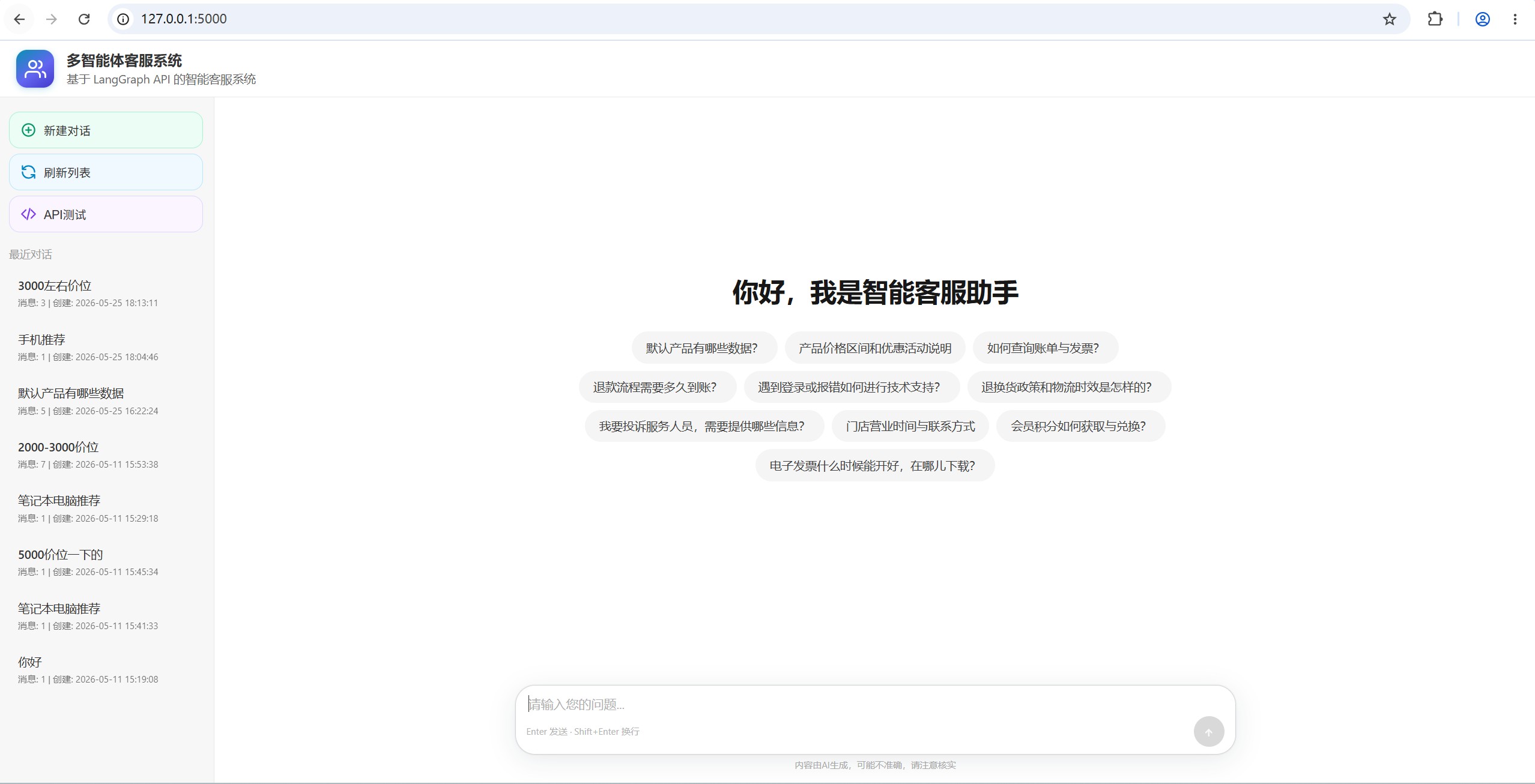
多轮对话
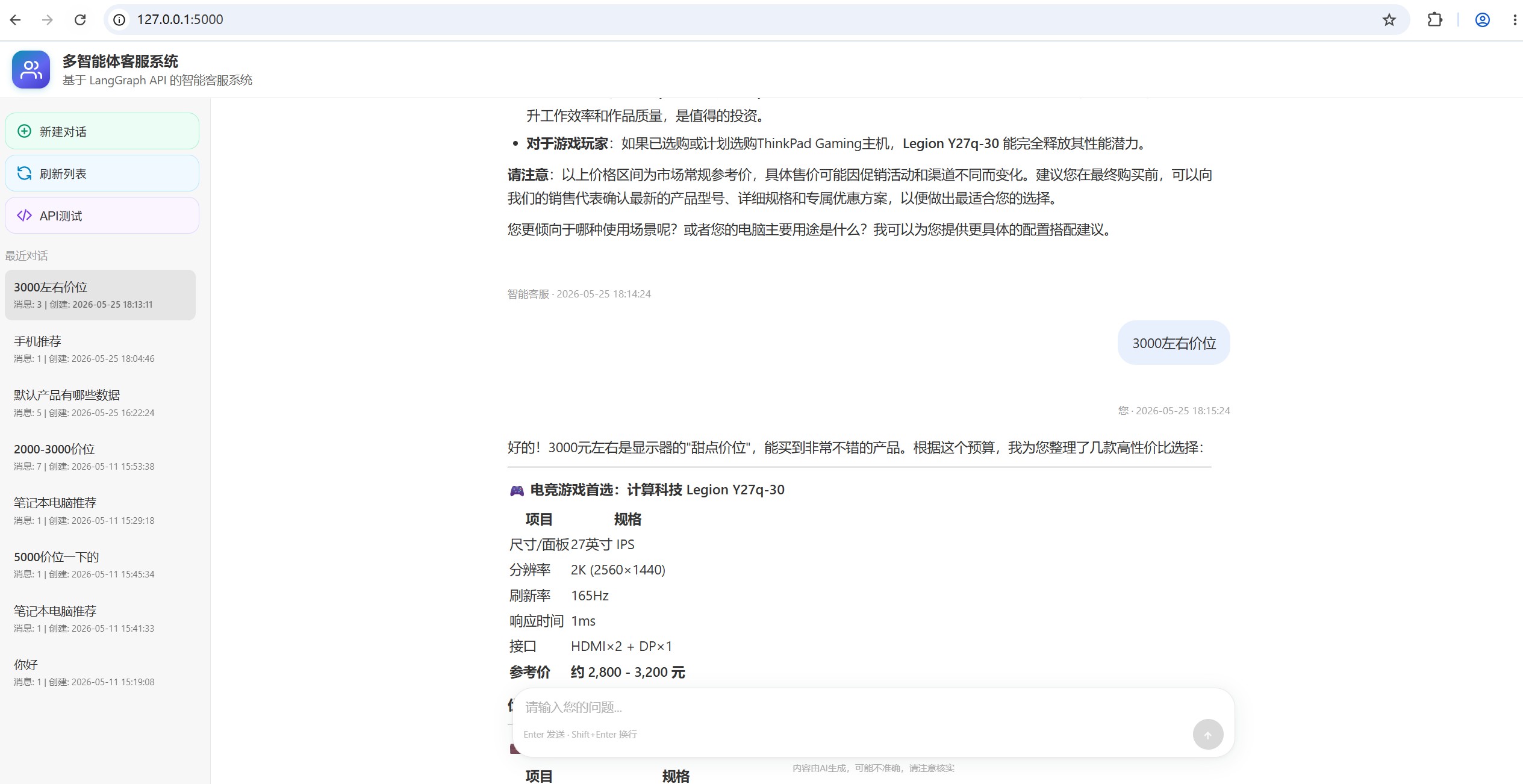
工作流

项目结构
customer-service-ai-agent/
├── multi_agents/ # 智能体模块
│ ├── __init__.py # 智能体包初始化
│ ├── base_agent.py # 基础智能体类
│ ├── product_agent.py # 产品专家智能体
│ ├── tech_agent.py # 技术支持专家智能体
│ ├── billing_agent.py # 账单专家智能体
│ ├── complaint_agent.py # 投诉处理专家智能体
│ └── general_agent.py # 综合客服智能体
├── tools/ # 工具函数模块
│ ├── __init__.py # 工具包初始化
│ └── query_tools.py # 查询分类工具
├── templates/ # Web界面模板
│ └── index.html # 主页面HTML模板
├── config.py # 基础配置文件
├── multi_agent_customer_service.py # 主程序文件(LangGraph工作流)
├── session_manager.py # 会话管理器(LangChain标准接口)
├── web_app.py # Web 入口(Flask 路由与 HTTP 会话)
├── chat_web_service.py # LangGraph 调用、会话状态解析等业务逻辑
├── langgraph.json # LangGraph工作流配置
├── requirements.txt # 项目依赖
├── .env # 环境变量配置
├── README.md # 项目说明文档
└── README_LangGraph_CLI.md # LangGraph CLI使用说明
主要特性
1. 模块化智能体设计
- 每个智能体独立实现,职责单一
- 基于抽象基类,便于扩展和维护
- 支持动态LLM注入
2. 配置驱动的工作流
- 工作流定义在
langgraph.json中 - 支持条件路由和直接连接
- 无需硬编码流程逻辑
3. 专业的业务领域
- 产品专家: 产品信息咨询和推荐
- 技术支持专家: 技术问题诊断和解决
- 账单专家: 财务和账单问题处理
- 投诉处理专家: 客户投诉和建议处理
- 综合客服: 一般咨询处理
4. 智能对话上下文管理
- 会话管理: 支持多会话并发,每个会话独立管理
- 历史对话缓存: 完整的对话历史记录,包含时间戳和角色标识
- 上下文感知: 智能体基于历史对话生成连贯、个性化的回答
- 记忆功能: 集成LangChain记忆组件,支持长期对话记忆
- 多轮对话: 同一会话内支持连续对话,避免重复信息
安装和配置
1. 安装依赖
pip install -r requirements.txt
pip install langgraph-cli
pip install -U "langgraph-cli[inmem]"
在win环境中,langgraph-cli下载后,需要将langgraph.exe路径加入PATH环境变量。或者使用时直接带全路径,例<your site-packages>\bin\langgraph.exe
2. 环境变量配置
复制 env_example.txt 为 .env 文件并配置。
3. 图结构自检
python multi_agent_customer_service.py
🚀 运行说明
方式1:使用Studio UI访问langgraph服务
langgraph dev
启动后,会自动拉起LangSmith服务,包含LangStudio UI,默认2024端口。使用浏览器访问https://smith.langchain.com/studio/thread?render=interact&baseUrl=http://127.0.0.1:2024
方式2:使用Web服务调用langgraph api
## 终端1:启动LangGraph服务
langgraph dev

## 终端2:启动自定义Web服务
python ./web_app.py
使用浏览器访问http://localhost:5000,界面功能:
- 实时聊天: 输入问题,获得智能回复
- 智能体信息: 显示当前处理问题的专家和查询类型
- 历史管理: 查看、清除对话历史
- 数据导出: 导出对话记录用于分析
方式3:直接API调用
接口文档访问地址默认http://127.0.0.1:2024/docs,内嵌了js需要挂梯子。也可参考https://langchain-ai.github.io/langgraph/cloud/reference/api/api_ref.html
需要langgraph dev启动LangGraph服务。
工作流程
- 会话创建: 为每个客户创建唯一会话ID
- 查询分类: 系统自动分析客户查询类型
- 上下文加载: 加载历史对话上下文
- 智能体路由: 根据查询类型路由到相应的专业智能体
- 专业处理: 专业智能体基于上下文处理客户查询
- 响应生成: 生成最终响应并更新会话历史
- 状态保存: 保存对话状态和记忆信息
工作流程图
客户查询 → 会话管理 → 查询分类 → 上下文加载 → 智能体路由 → 专业处理 → 最终响应
    ↓         ↓         ↓         ↓          ↓          ↓         ↓
  输入    会话创建   类型识别   历史加载    专家选择    专业解答    格式化输出
                ↓
            状态保存
状态管理
系统使用 AgentState 来管理整个工作流的状态:
customer_query: 客户查询内容query_type: 查询类型分类current_agent: 当前处理智能体response: 智能体回复tools_used: 使用的工具列表session_id: 会话唯一标识conversation_history: 对话历史记录memory: LangChain记忆组件
关于硅基流动API
系统中llm大模型使用的是硅基流动模型服务商,也可选其他,都是使用统一的openAI接口规范。
优势特点
- 国内服务: 访问速度快,延迟低
- 价格实惠: 相比其他API服务更经济
- 模型丰富: 支持多种开源模型
- API兼容: 完全兼容OpenAI API格式
- 配置简单: 只需设置API密钥和模型名称
推荐模型
qwen2.5-7b-instruct- 性价比高,适合一般应用qwen2.5-14b-instruct- 性能更好,适合复杂任务llama3.1-8b-instruct- 通用性强,稳定性好mistral-7b-instruct- 推理能力强
扩展指南
添加新的智能体
- 在
multi_agents/目录下创建新的智能体文件 - 继承
BaseAgent类并实现process方法 - 在
multi_agents/__init__.py中导入新智能体 - 在
langgraph.json中添加节点和边配置
添加新的工具函数
- 在
tools/目录下创建新的工具文件 - 使用
@tool装饰器定义工具 - 在
tools/__init__.py中导入新工具
修改工作流程
- 编辑
langgraph.json文件 - 修改节点、边和路由配置
- 重启系统应用新配置
技术架构
- LangGraph: 工作流编排框架
- LangChain Core: LLM集成和消息处理
- 硅基流动API: 大语言模型服务
- 模块化设计: 高内聚、低耦合的架构
相关文档
- README_LangGraph_CLI.md - LangGraph CLI使用指南
- langgraph.json - 工作流配置文件
- LangGraph API服务搭建
- LangGraph MCP适配器
Customer Service AI Agent alternatives
View more →Similar ai agents in Other, ranked by GitHub stars. Compare licence, recent activity and scan status before you choose.
| Name | Stars | Licence | Last updated | Scan |
|---|---|---|---|---|
| Customer Service AI Agent (this page) handsomestWei | 129 | Apache-2.0 | May 26, 2026 | Scanned, no flagged issues |
| Hermes Desktop fathah | 15k | MIT | Oct 13, 2026 | Scanned, no flagged issues |
| CubeSandbox TencentCloud | 13k | None found | Nov 1, 2026 | Not scanned yet |
| Openchamber openchamber | 12k | MIT | Nov 1, 2026 | Scanned, no flagged issues |
| Open Swe langchain-ai | 11k | MIT | Nov 1, 2026 | Scanned, no flagged issues |
| Moltworker cloudflare | 9.9k | Apache-2.0 | May 9, 2026 | Scanned, no flagged issues |