Open Terminal AI Agent
 by open-webui
A computer you can curl ⚡
Open Terminal is an open-source ai agent by open-webui, written mainly in Python, with 3,461 GitHub stars and the MIT license. Its code was last updated Oct 30, 2026.
Open Terminal
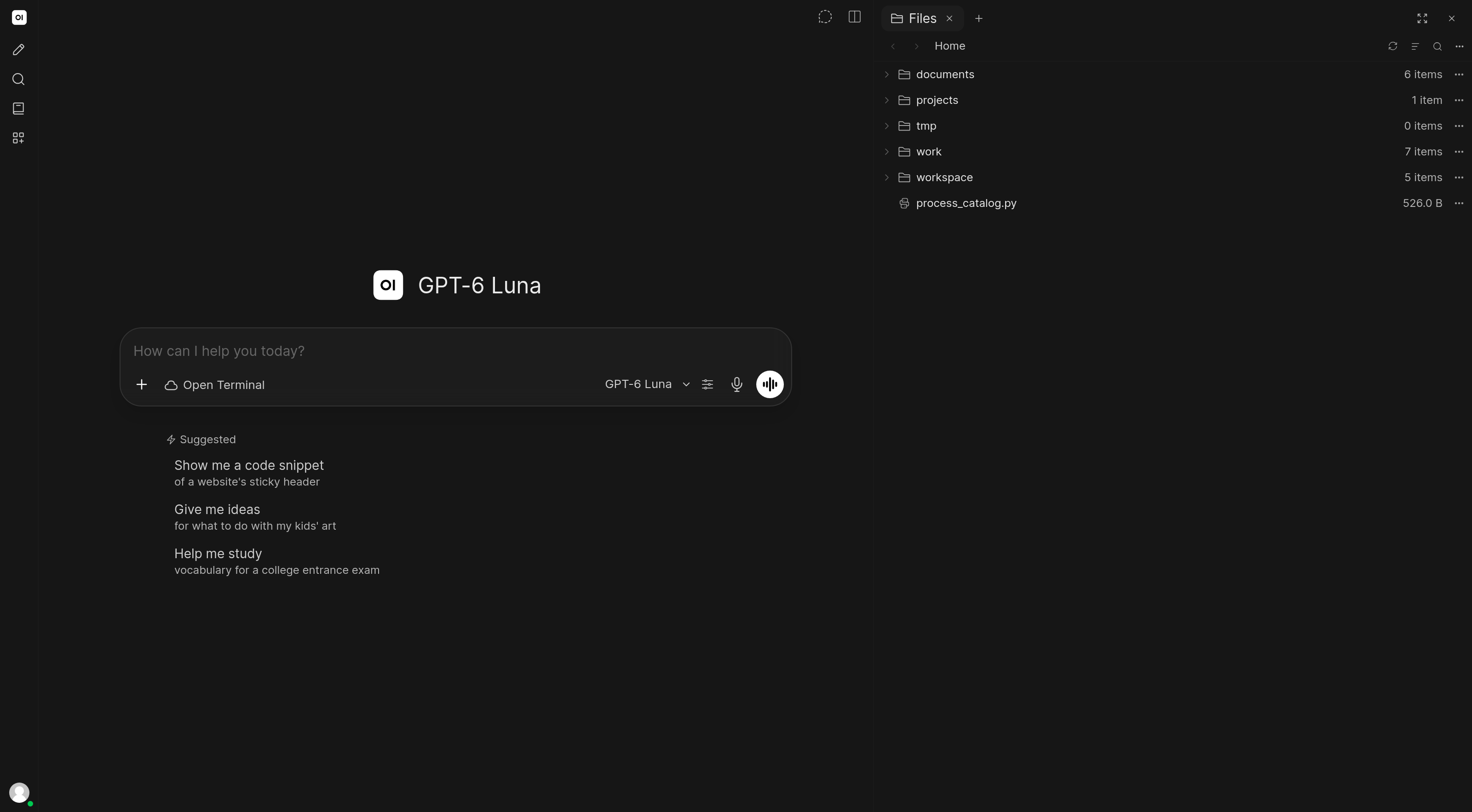
A computer for your AI agents. Run commands, search and manage files, execute code, and work with browsers and desktops through a self-hosted REST API. Connect it to Open WebUI, or use it with your own tools.
Documentation · Changelog · Report an issue


Installation
Docker
docker run -d --name open-terminal --restart unless-stopped \
  -p 8000:8000 \
  -v open-terminal:/home/user \
  -e OPEN_TERMINAL_API_KEY=your-secret-key \
  ghcr.io/open-webui/open-terminal:latest
The API is available at http://localhost:8000, with interactive docs at /docs. The volume keeps your files between container updates. Replace your-secret-key with your own key.
| Image tag | Includes |
|---|---|
latest | Full toolkit: Python, Node.js, build tools, browser, desktop, and document tools |
agents | Everything in latest, plus the latest Codex and Claude Code CLIs |
cuda | Full environment with CUDA toolkit and GPU-enabled PyTorch |
slim | Minimal Debian environment with git, curl, and jq |
alpine | Minimal Alpine environment with git, curl, and jq |
openshift | Minimal image for OpenShift restricted non-root policies |
Use :agents to run codex or claude from a terminal, signing in with your own account. See the deployment guide for agent setup, image capabilities, custom packages, and updates.
Python
Requires Python 3.11+.
# uv (replace your-secret-key)
uvx open-terminal@latest run --host 0.0.0.0 --port 8000 --api-key your-secret-key

# Or pip
pip install open-terminal
open-terminal run --host 0.0.0.0 --port 8000
Linux defaults to a separate XFCE desktop. Select GNOME explicitly with --desktop-environment gnome. GNOME supports Wayland-only systems such as Ubuntu 26.04; it uses noVNC when the optional x11vnc package is installed and the frame viewer otherwise. XFCE and older GNOME X11 sessions use noVNC. See desktop setup for required packages. Keep your existing display manager if prompted during installation. Docker latest includes XFCE and its dependencies. Sharing your actual logged-in desktop requires --desktop-mode host.
For GNOME Wayland audio, install pipewire-pulse pulseaudio-utils ffmpeg, restart Open Terminal, and click the viewer's speaker button to unmute. Audio is optional and works with either viewer.
Host desktop audio is also supported on Linux, macOS 13+, and Windows. Install FFmpeg and follow the host audio setup, then unmute in the viewer to share system sound.
If no API key is configured, one is generated and printed at startup. For Docker, find it with docker logs open-terminal.
[!CAUTION] The API key grants command and file access. On bare metal, commands run with your user's permissions. Give access only to people and agents you trust.
Private local IPC
Desktop clients can use the existing HTTP/WebSocket API without opening a TCP listener:
# macOS/Linux: use a socket inside a directory owned by the current user (mode 0700).
open-terminal run --isolated --ipc /path/to/private-directory/api.sock
On Windows, use a local named pipe, for example
open-terminal run --isolated --ipc \\.\pipe\open-terminal-private.
API-key authentication still applies. --port 8000 adds a TCP listener;
it binds to 127.0.0.1 unless --host 0.0.0.0 is explicitly supplied.
Use port 0 to select an available port. The bind address and port are logged at startup.
With --ipc, --host requires an explicit --port; --cftunnel is not supported.
Connect to Open WebUI
- Open Settings → Admin → Integrations → Open Terminal.
- Add a URL reachable from the Open WebUI server and your API key.
- Enable the connection and select the terminal in chat.
Use the dedicated Open Terminal section to get the file browser and terminal panel. Compare connection modes, or see the connection guide for Docker networking and personal connections.
Configuration
Coding agents in chat
Install and sign in to the agent CLIs as the user running Open Terminal. In a compatible Open WebUI checkout, selecting this terminal adds its discovered models to the existing model selector as <agent>/<model>. Agent conversations run in the terminal's current directory, with streaming output, native tool/extension approvals, attachments, Stop, and conversation continuation.
| Agent | Native interface | Executable override |
|---|---|---|
| Codex | codex app-server --listen stdio:// | OPEN_TERMINAL_CODEX_COMMAND |
| Claude Code | claude --input-format stream-json --output-format stream-json | OPEN_TERMINAL_CLAUDE_COMMAND |
| Cursor | agent acp | OPEN_TERMINAL_CURSOR_COMMAND |
| Grok | grok --no-auto-update agent stdio | OPEN_TERMINAL_GROK_COMMAND |
| OpenCode | opencode acp | OPEN_TERMINAL_OPENCODE_COMMAND |
| Cline | cline --acp | OPEN_TERMINAL_CLINE_COMMAND |
| Gemini CLI | gemini --acp | OPEN_TERMINAL_GEMINI_COMMAND |
| Pi | pi --mode rpc | OPEN_TERMINAL_PI_COMMAND |
These adapters target current CLI protocols. ACP model discovery prefers session config options and also reads the native models field still advertised by current agents such as Gemini. Pi requires the current RPC agent_settled completion event and --session-id support. There are no hardcoded model lists. Log in through the CLI before using WebUI; the integration does not run interactive login flows. ACP agents execute their own filesystem and terminal tools in this environment. Pi follows its native tool policy; WebUI forwards extension confirmation dialogs but does not add a separate per-tool permission layer.
ACP history replay is suppressed when resuming an already saved WebUI conversation. If an agent does not advertise native resume, the next turn receives the saved conversation text instead. Agent-specific editor extensions beyond ACP's standard permissions and form elicitation are not implemented.
The same flow works through Tether's saved connection and outbound relay; the hosted server does not need to reach the local machine's IP. All three applications need the agent-capable changes. Provider CLIs and their login credentials stay in the terminal environment; no provider SDK is required in WebUI. Executable overrides above accept a path to the installed CLI.
The authenticated /agents catalog advertises installed providers and models. POST /agents/{provider}/sessions starts an owned process; /agents/sessions/{id} inspects or deletes it. Its /connect WebSocket carries native JSONL inside sequenced input/output frames with acknowledgements and replay. Sessions require X-User-Id and X-Session-Id ownership headers (single-user clients may omit X-User-Id). WebSocket clients send an initial { "type": "auth", "token": "<API key>", "cursor": 0 } frame. Agent turns use a single backend task and resume the provider's saved conversation on the next turn; branching/regeneration requires a new chat.
Server settings
Configure Open Terminal with CLI flags, environment variables, or a TOML file. CLI flags take precedence.
| Guide | Covers |
|---|---|
| Configuration | Config files, browser sessions, storage, and file previews |
| Deployment | Docker variants, coding agents, custom packages, updates, and multi-user setup |
| Temporary public access | Cloudflare tunnels and troubleshooting |
| API reference | Interactive endpoints on your running instance |
Multi-user deployments
Built-in multi-user mode separates workspaces inside one shared container; it does not isolate users and is intended for small, trusted deployments.
For separate containers per user, use Terminals. Production use requires an Open WebUI Enterprise License. See the security policy for the trust model.
Support
Open an issue for bugs or setup problems. Report vulnerabilities privately through GitHub Security Advisories.
Star History
<a href="https://star-history.com/#open-webui/open-terminal&Date"> <picture> <source media="(prefers-color-scheme: dark)" srcset="https://api.star-history.com/svg?repos=open-webui/open-terminal&type=Date&theme=dark" /> <source media="(prefers-color-scheme: light)" srcset="https://api.star-history.com/svg?repos=open-webui/open-terminal&type=Date" /> <img alt="Star History Chart" src="https://api.star-history.com/svg?repos=open-webui/open-terminal&type=Date" /> </picture> </a>License
MIT. Bundled third-party tools retain their own licenses and terms.
Open Terminal alternatives
View more →Similar ai agents in Coding Agents, ranked by GitHub stars. Compare licence, recent activity and scan status before you choose.
| Name | Stars | Licence | Last updated | Scan |
|---|---|---|---|---|
| Open Terminal (this page) open-webui | 3.5k | MIT | Oct 30, 2026 | Scanned, no flagged issues |
| AutoGPT Significant-Gravitas | 188k | None found | Nov 1, 2026 | Not scanned yet |
| Langchain langchain-ai | 149k | MIT | Nov 1, 2026 | Scanned, no flagged issues |
| Gemini CLI google-gemini | 109k | Apache-2.0 | Nov 1, 2026 | Scanned, no flagged issues |
| MetaGPT FoundationAgents | 71k | MIT | Jan 21, 2026 | Scanned, no flagged issues |
| Oh My Openagent code-yeongyu | 71k | None found | Nov 1, 2026 | Not scanned yet |