Veda AI Agent
 by vahmoh
The Agentic-Native Operating System
Veda is an open-source ai agent by vahmoh, written mainly in Rust, with 99 GitHub stars and the GPL-3.0 license. Its code was last updated Nov 1, 2026.
Veda
The Agentic-Native Operating System
An operating system written in Rust, with a voice agent built into the system.



Screenshots · Quick start · Make an app agentic · Architecture · Documentation
</div>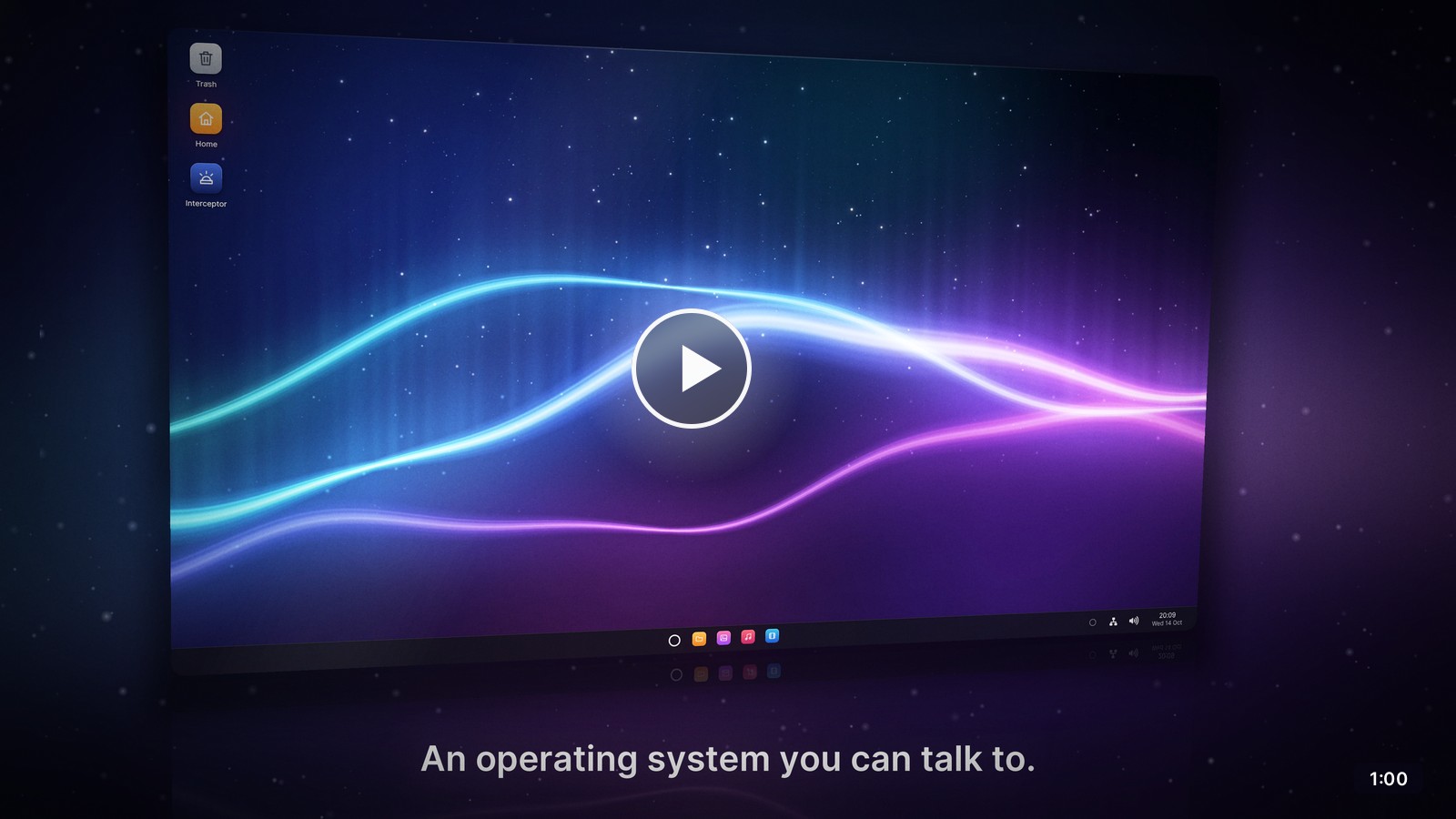
Say "Hey Veda, switch my wallpaper to the dunes" and it is done. The agent works in every application through the same code as your keyboard and mouse, and asks you before anything that is hard to undo. Everything here is Rust, from the UEFI bootloader and the microkernel to the window system and the applications.
<table> <tr> <td width="33%" valign="top"><b>An agent in the system</b><br>A service from boot that wakes when you say its name. Its model, its voice and even its name are settings.</td> <td width="33%" valign="top"><b>Actions, not screen scraping</b><br>Applications declare typed actions that run the same code as the keyboard and mouse. The built-in ones offer more than 100.</td> <td width="33%" valign="top"><b>Consent the model cannot skip</b><br>The system holds sensitive and destructive actions until you allow them, and only the desktop shell can answer.</td> </tr> <tr> <td width="33%" valign="top"><b>A microkernel in Rust</b><br>Capabilities, SMP, and services in user space that restart by themselves. Applications get Rust's standard library.</td> <td width="33%" valign="top"><b>Linux's drivers, contained</b><br>Linux drives the hardware in a VM on Veda's own hypervisor, held in by the IOMMU and restarted if it crashes.</td> <td width="33%" valign="top"><b>A complete desktop</b><br>A compositing window system, a lock screen, a web browser on WebKit, OpenGL ES 3.0, GCC and curl in the Terminal, WPA3 Wi-Fi and a firewall that asks first.</td> </tr> </table>Screenshots
<table> <tr> <td colspan="2"><p align="center"><b>Desktop</b></p><img src="documentation/images/desktop.png" alt="The Veda desktop, with the agent's window open and listening"></td> </tr> <tr> <td width="50%"><p align="center"><b>Browser</b></p><img src="documentation/images/browser.png" alt="The Browser showing Veda's website, www.vedaos.org: the ring glowing over its starry sky, an aurora flowing below the name and what Veda is"></td> <td width="50%"><p align="center"><b>Text Editor</b></p><img src="documentation/images/editor.png" alt="The Text Editor showing a Rust program with syntax highlighting"></td> </tr> <tr> <td><p align="center"><b>Photos</b></p><img src="documentation/images/photos.png" alt="Photos showing a library of eight pictures"></td> <td><p align="center"><b>Music</b></p><img src="documentation/images/music.png" alt="Music playing a song, with cover art and a spectrum visualiser"></td> </tr> <tr> <td><p align="center"><b>Files</b></p><img src="documentation/images/files.png" alt="Files showing pictures as thumbnails, with the Trash in its sidebar"></td> <td><p align="center"><b>Videos</b></p><img src="documentation/images/videos.png" alt="Videos playing an aurora timelapse, a picture from further on above its seek bar"></td> </tr> <tr> <td><p align="center"><b>Settings</b></p><img src="documentation/images/agent-settings.png" alt="Settings on the agent's page: its Deepgram key, its name, voice and speaking rate, and its language model"></td> <td><p align="center"><b>Paint</b></p><img src="documentation/images/paint.png" alt="Paint with a synthwave sunset open, white stars drawn in its sky and Hello, Veda! written over it"></td> </tr> <tr> <td><p align="center"><b>Calculator</b></p><img src="documentation/images/calculator.png" alt="The Calculator in Scientific mode showing the golden ratio"></td> <td><p align="center"><b>Terminal</b></p><img src="documentation/images/gcc.png" alt="The Terminal, where GCC names an undeclared variable in a C program"></td> </tr> <tr> <td><p align="center"><b>Interceptor</b></p><img src="documentation/images/interceptor.png" alt="Interceptor: a chase at sunset on a road through the trees of the hills"></td> <td><p align="center"><b>Unlocking</b></p><img src="documentation/images/lock-password.png" alt="The lock screen asking for the password over the wallpaper blurred: the user's picture in Veda's ring, the password half typed"></td> </tr> </table>Quick start
Veda builds on an x86-64 Linux machine with KVM. Install Rust and the build tools:
<details> <summary>Packages on Debian and Ubuntu</summary>sudo apt install qemu-system-x86 qemu-system-gui qemu-system-modules-opengl ovmf \
build-essential bc curl rsync m4 flex bison meson ninja-build cmake nasm \
libgmp-dev libmpfr-dev libmpc-dev python3 python3-mako python3-packaging python3-yaml
The driver VM also needs KVM's nested virtualization (kvm_intel nested=1).
Then build Veda and boot it:
cargo automation doctor      # check the tools
cargo automation toolchain   # once, about half an hour: GCC, musl, Rust and curl for Veda
cargo automation linux       # once: the driver VM's Linux and Mesa
cargo automation web         # once, an hour or more (optional): WebKit, for the browser
cargo automation python      # once, a few minutes (optional): Python, its standard library
cargo automation run         # build Veda and boot it in QEMU
Add a Deepgram API key in Settings → Agent, then say "Hey Veda", click the ring on the taskbar or press Super+Space. Try "Play Neon Horizon", "Show me the lighthouse photo, full screen" or "Delete the City Lights photo" (it asks you first).
On a PC: cargo automation iso writes a live system for a USB stick.
Start it in UEFI mode, with VT-x and VT-d on and Secure Boot off, and choose
Try without installing in its boot menu. It runs from memory and leaves
the PC's disks alone; see what it supports.
On ARM64: add --architecture arm64 to any command, on any build
machine. It needs qemu-system-arm and qemu-efi-aarch64, and builds its
own toolchain (Developing).
Make an app agentic
Agent support is part of the ui toolkit. An application describes its
actions, reports its state and performs actions; ui::run registers it
with the agent service and answers the agent between frames:
use ui::agent::{self, Action, AppAgentInfo, Risk, Value, arg_path, arg_str, json, show_path};

impl ui::App for Notes {
    fn update(&mut self, ui: &mut ui::Ui) { /* ... */ }

    fn agent_info(&self) -> Option<AppAgentInfo> {
        Some(agent::info(
            "A notes app: one note per file in ~/Notes.",
            vec![
                Action::new("add_line", "Adds a line at the end of the note shown")
                    .param("text", "string", "The line", true)
                    .build(),
                Action::new("delete_note", "Deletes a note for good")
                    .param("path", "string", "The note's file, such as ~/Notes/Ideas.txt", true)
                    .risk(Risk::Destructive)
                    .build(),
            ],
        ))
    }

    fn agent_state(&self) -> Value {
        json!({ "note": self.title.as_str(), "lines": self.lines.len() })
    }

    fn agent_invoke(&mut self, action: &str, args: &Value) -> Result<Value, String> {
        match action {
            "add_line" => { self.append(arg_str(args, "text")?); Ok(json!({ "lines": self.lines.len() })) }
            "delete_note" => {
                let path = arg_path(args, "path")?;
                self.delete(&path).map_err(|e| format!("{} could not be deleted: {e}", show_path(&path)))?;
                Ok(json!({ "deleted": show_path(&path) }))
            }
            other => Err(format!("Notes has no action called {other}")),
        }
    }
}
Declare each action's risk and run it through the same code as the keyboard and mouse: consent, memory and the conversation are the system's job. The full guide covers the rest.
Architecture
| Layer | What it is |
|---|---|
| Kernel | A capability-based microkernel: isolation, scheduling, memory and IPC, on SMP with tickless timers |
| Services | Drivers, the file system, the window system, audio, networking and the agent, in user space; init restarts them if they fail |
| Drivers | Veda drives its own disks; Linux drives the rest in the driver VM, on Veda's hypervisor |
| Graphics | A compositing window system, the immediate-mode ui toolkit, and OpenGL ES 3.0 on the GPU through Mesa or in software |
| Programs | Rust's standard library, and C with GCC 16 and musl, over posix, a POSIX layer in Rust; static or dynamically linked, loading shared libraries at run time; and Linux's programs as they were built, on glibc or musl, through Linux compatibility |
| Network | IPv4 and IPv6, TLS 1.3, WPA3 Wi-Fi, and a firewall in stealth mode by default |
Where a proven library exists, Veda uses it: smoltcp, rustls, RustCrypto, FFmpeg, dav1d, glam, WPE WebKit and more.
Testing
cargo automation test        # unit tests on the host, then integration tests inside Veda
cargo automation test --ui   # plus the GUI and agent scripts
The scripts click through the desktop and the applications, and break things on purpose (Linux's drivers crash, a cable is pulled, services are killed) to check that Veda recovers by itself. The agent's scripts talk to a stand-in for Deepgram, so they are offline, deterministic and free.
Documentation
| Guide | Covers |
|---|---|
| The agent | How the agent works, consent, memory, and agent-compatible applications |
| Architecture | How the system fits together |
| The driver VM | The hypervisor, the IOMMU and Linux's drivers |
| Networking | The network and Wi-Fi services, the firewall and TLS |
| The web browser | The browser, WebKit's port to Veda, and how pages are drawn |
| C on Veda and Rust on Veda | Programs, the POSIX layer and the toolchains |
| Linking and loading | Static and dynamically linked programs, shared libraries, and loading them at run time from C, C++, Rust and Python |
| Linux programs | Running Linux's programs as they were built: Linux compatibility, foreign mode, Linux roots, and the limits |
| Python on Veda | Python, its standard library, and CPython's port |
| curl on Veda | The curl command and libcurl: transfers by URL over HTTP/2 and TLS, in the Terminal and in C programs |
| Packages | Installing software with pkg: the package manager, signed repositories, and changes that survive the power going |
| Developing | Commands, the system image and writing applications |
| Libraries | What Veda builds on, and what it keeps of its own |
| Coding conventions | How the code is written |
Contributing
Contributions are welcome. Contributing covers how to propose a change, the standards it meets, and how it is tested and reviewed.
License
Veda is free software under the
GNU General Public License, version 3. Copyright © 2026 Vahid
Mohammadi. Its other parts (its fonts, firmware, toolchains, video
decoder, web engine, Python and the crates its programs are built with)
keep their own licences, whose texts the system carries in
/system/licences and About Veda shows; see
Licensing.
Veda alternatives
View more →Similar ai agents in Communication, ranked by GitHub stars. Compare licence, recent activity and scan status before you choose.
| Name | Stars | Licence | Last updated | Scan |
|---|---|---|---|---|
| Veda (this page) vahmoh | 99 | GPL-3.0 | Nov 1, 2026 | Scanned, no flagged issues |
| ChatTTS 2noise | 40k | AGPL-3.0 | Apr 10, 2026 | Scanned, no flagged issues |
| Nanoclaw nanocoai | 31k | MIT | Oct 30, 2026 | Scanned, no flagged issues |
| AgenticSeek Fosowl | 28k | GPL-3.0 | Oct 22, 2026 | Scanned, no flagged issues |
| Leon leon-ai | 18k | MIT | Oct 31, 2026 | Scanned, no flagged issues |
| SurfSense MODSetter | 17k | Apache-2.0 | Oct 30, 2026 | Scanned, no flagged issues |