Captain Claw MCP Server
 by kstevica
Command a fleet of AI agents, on every deck, every desk, every wrist. Self-hosted multi-agent platform with memory, a coding pipeline, Flows, a team kiosk and voice devices. Any LLM, or 100% local with Ollama.
Captain Claw is an open-source mcp server by kstevica, written mainly in Python, with 186 GitHub stars and the MIT license. Its code was last updated Nov 1, 2026. The latest PyPI release is captain-claw 0.9.1, published Nov 15, 2026, with 217 downloads last week.
Captain Claw
Command a fleet of AI agents — on every deck, every desk, every wrist




Most AI tools give you one agent in a chat box. Captain Claw Flight Deck is a multi-agent command center: spawn specialist teams, run seven orchestration modes, ship software with Code (plan → build → independent review), and compose deterministic Flows. Self-hosted, MIT licensed, and it works with every major LLM provider, or 100% local with Ollama. Since 0.8.2 your Flight Decks work together: a planner on your VPS asks a researcher on the Raspberry Pi at home, and you watch the request cross a live map. Your team works from a kiosk; you can just talk to a watch. Since 0.8.4 you can teach an agent your work and test it, and see every task on one Taskboard. Since 0.8.5 your agents run Claude Code, Codex, OpenCode, Crush and Pi as their crew, and you can say what you need and get a whole team, with its schedules and its software. Since 0.8.6 everything they do on their own is on one Line, Captain Swarm makes them measurably better at your real work, and Captain for your desktop is a 75 MB download that updates itself. Since 0.8.8 they see what you see: Captain for Chrome sends the page you're on, and Captain for Mac sends what's on your screen from any app. Since 0.9.1 your private data stays yours: anonymization turns names, companies and numbers into tokens before a model sees them and puts them back when the answer comes home, and data rooms let Claude read a whole deal's files without learning who is in them.
🌐 Website · 🚀 Live Demo · 📖 Docs · ▶️ YouTube · 📦 PyPI · 🧭 Guides · 📝 What's new
New in 0.9.1 — Strongroom: anonymization with an encrypted vault per case and a privacy gate for your agents; data rooms that give Claude a deal's files without the names and bring its results back restored; Vatra, Basna and Council in the kiosk; a new kiosk home; agents in your own Chrome. Release notes · 0.9.0 — Shipyard: tools of your own, built by Crew and run by Flight Deck in a sandbox; agents in one .captain file to back up, move or hand on; agents that hand each other work, answer email meant for them, read any IMAP inbox, learn from corrections you approve and know the goals their work is for. Release notes · 0.8.11 — Hold: a message written while the agent is busy waits and goes when it's free. Release notes · 0.8.10 — Provisions: pick a provider, paste its key, and every model tier is set; scans read by a local OCR engine with no model; a working turn no longer stops at 40 steps. Release notes · 0.8.8 — Spyglass: Captain for Chrome sends the page you're on to one of your agents, Captain for Mac sends what's on your screen from any app (hold fn, or click), and a round of fixes from watching real users. Release notes · 0.8.9 makes agents work in the Windows desktop app, and a downloaded Mac app no longer "damaged": notes · Earlier: 0.8.7 · 0.8.6 — Ship's Log
Why Captain Claw
- 🛸 A fleet, not a chatbot. Spawn specialists from 131 ready-made archetypes (31 generalists and 100 specialists, for your industry or your own life) plus the ones your admin generates for your company, describe a goal and let Agent Forge design the whole team, or say what you need in your own words and Forge agents plans a standing team with its schedules and its software.
- 🎓 Agents you can train. Give an agent your documents and it keeps them whole at no token cost, reads what you budget for, and learns rules and facts you review. Then exam it, and see exactly where it went wrong It drafts lessons from your corrections for you to approve, works toward the goals you set on its Course, and fits in one file to back up, move to another deck or hand to a client.
- 🧩 The right shape for every problem. Seven orchestration modes, from blind ensembles merged by learned reliability to a collaborative blackboard, moderated councils, and a finisher that stops only when an independent judge says the work is done.
- 🛰️ Decks that work together. Flight Decks on a VPS, a laptop and a Raspberry Pi behind home NAT lend each other their agents over BotPort, and you watch every request cross a live map.
- 💻 An engineering department. Plan → your approval → build → three independent reviewers → fix, every phase a git commit in your own repo. Or hand the work to Crew: Claude Code, Codex, OpenCode, Crush and Pi in worktrees of their own, several at once, and nothing lands until a person says so. Crew also builds custom tools, small Python programs Flight Deck runs for your agents, sandboxed on Linux.
- 👥 Ready for a team. A kiosk your non-admins live in, an admin console, invitations by email, per-user Google and Microsoft accounts, shared agents, daily plan limits or people's own AI keys, agents held to their own files, and a deck that updates itself from the console.
- 🔌 Plugs into anything. Give your CRM, shop or monitoring its own key and it talks to an agent over a WebSocket, HTTP or signed webhooks, or Flight Deck dials out to it. MCP works both ways: Claude drives your fleet, and your agents use any MCP server.
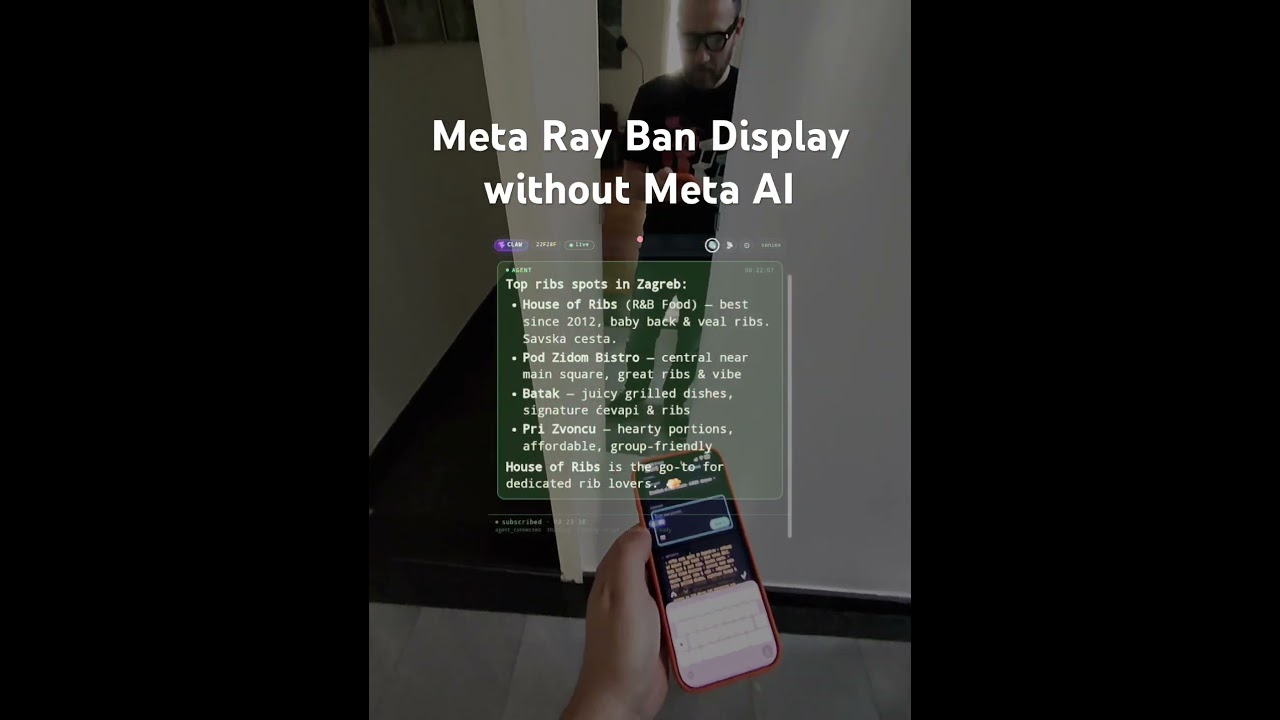
- 📡 Wherever you are. Web, WhatsApp (the Cloud API, or your own number), Telegram, a HUD for Meta Ray-Ban Display, push-to-talk devices from M5Stack and Waveshare, and Claude itself over MCP, all one conversation.
- 🧬 Memory that keeps thinking. Six memory layers shared across sessions and agents, and dream cycles that surface connections you didn't ask for.
- 🛡️ Agents you can check on. Every task lands on a Taskboard that checks an agent really did what it was handed, every tool call lands in a tamper-evident register you and your admins can read, guards run before, during and after every action, and a fabrication guard catches a claimed send or calendar change no tool made.
- 🕶️ Private data stays private. Names, companies, addresses and ID numbers become tokens before a model reads them, with the real values in an encrypted vault on your deck, and come back when the answer does. Give Claude a whole data room this way, or put a privacy gate in front of every agent on a cloud model.
- 🔓 Yours, end to end. Self-hosted, MIT, bring your own keys or run 100% local with Ollama. No lock-in.
Quick start
pip install captain-claw
flight-deck          # the multi-agent dashboard: http://localhost:25080
First run starts onboarding. For a single agent in the terminal or the browser, Docker, a deck for your team or a voice device, see Getting started.
🔐 New in 0.9.1 — strongroom
Anonymization. Names, companies, addresses, emails, phones, IBANs and ID numbers become tokens like ⟦PERSON_1⟧ before anything reaches a model, and the real values stay encrypted on your deck, in a vault per case only you can open. Code always looks; your admin's trusted model (a local one, or a cloud one they vouch for) catches the bare names. Word, Excel and PowerPoint stay Word, Excel and PowerPoint, and Put back restores whatever comes home.
- (Admin, optional) Admin console → Settings → Anonymization: a Provider and Model, Save, Check on samples.
- Open Anonymize (kiosk: Settings → What they keep; full layout: Files).
- Text or File, In a vault, name the Vault, Anonymize. Put back reverses it.
- For your agents: Privacy gate → On, pick the sources or The whole chat, Save. Their model reads tokens, your chat shows Real names, and mail they send goes out with the real values.
Also: a file or folder anonymized where it is, the anonymize tool for agents, Anonymize this page in Captain for Chrome, and a history of every token. → Anonymization guide
Data rooms. A deal's virtual data room, a ZIP or a folder of hundreds of files, anonymized into one vault so Claude reads the story and every number but no names. One token is one party in every file. You review before anything is released, and Claude's memos, workbooks and decks come back through the same connector, restored for you alone on the deck.
- Data rooms (kiosk: Settings or More; full layout: Files), a Codename (Claude sees this), Create data room.
- Add files (a ZIP, or a folder) and Names to hide you already know, then Run.
- Review leftovers, Roles and Same party?, then Release.
- Copy the address on Claude's access, and in Claude Settings → Connectors → Add custom connector; sign in and tick the room.
- Ask Claude. Its results land under From Claude with the real names.
Vatra, Basna and Council, in the kiosk. More → Agents as a team: Vatra for a team that builds one result on a shared board (New → Task / intent → Plan team → Run team → Execute), Basna for several agents answering blind, merged by reliability (New → Route → Run ensemble → Truth), Council for a discussion in rounds with a summary and a vote (New session → Start Council → Synthesize). → Vatra, Basna and Council guide
- A new kiosk home: Today with what's waiting for you, a nav of Today · Agents · Inbox · Tasks · People · Automations · Activity, agent cards with pictures, People you work with, and New agent opening the Agent store.
- Agents in your own Chrome, signed in, when you switch on Agents can use this browser in Captain for Chrome; 30 new page actions there and in the agent's own browser.
- And:
model_switchand a model picker in the chat box, Qdrant and ArcadeDB memory,web_searchup to 50 enriched results, Data library tables you edit by hand, and 81 built-in tools.
⚓ Shipyard since 0.9.0
Custom tools. Describe a tool in your own words, let your model check the spec, and Crew's coding agents write it, its tests and its examples. When you approve the merge, Flight Deck publishes it, and it goes live only if everything passes. Your agents call it with custom_tools; Flight Deck runs every call as the person, with their own secrets and files, held in a Landlock sandbox on Linux 5.13+. Offer a tool to people or to the whole deck, and it runs for nobody until they Add it. A tool can use the agent's own tools, run your other tools and ask you a question, and agents suggest the tools they'd need.
Agents in one file. Back up / export saves an agent as a .captain file: a Template, Trained, or a Full backup with its keys sealed by a passphrase. Bring it in as a new agent or into an existing one, with Undo. Name a package and each export becomes a version that updates your client's copy without touching what it learned there. Schedule backups, and sign every file with your deck's key.
Agents that work like colleagues.
-
Hand-overs: an agent gives a piece of work to another of your agents and carries on with the answer, each step a Taskboard task.
-
Their own address: a role, an inbox,
you+researcher@gmail.comand names they answer to, so mail meant for an agent becomes its task. Gmail replies go out only if you say so. -
Any mailbox: Email (IMAP) connects up to 20 inboxes per person, with the password sealed in Flight Deck and sending off until you allow it.
-
Lessons you approve: a correction in chat becomes one drafted lesson in Lessons to approve.
-
Shared memory: Membase, Hindsight, Qdrant or ArcadeDB — one or several — shared by all of a person's agents, plus one Hindsight, Qdrant or ArcadeDB server for the deck.
-
A Course: goals for the deck, for you and for each agent, in every agent's prompt; their suggestions wait for you.
-
And:
ask_userasks you in a Flight Deck dialog,image_manipulationedits pictures with no scripts, Console → Activity shows who's using the deck and whether you've written to them, scheduled tasks start an agent that's off, and 79 built-in tools.
→ Release notes · Custom tools · Agent files · Agents as colleagues · Course
🔭 Spyglass since 0.8.8
Captain for Chrome sends the page you're on to one of your agents. It reads the page in your own browser, signed in and as you see it, and fetches the files it links to with your session. That covers a portal, an intranet, a paywalled article or a dashboard drawn by JavaScript, where an agent's own web tools would hit a sign-in or a bot wall.
- Twelve actions: Summarize, Grab files, Extract data, Fact-check, Draft a reply, Watch it (a check in Flight Deck's Scheduled tasks that says what changed), and more.
- Read it as gives any action a lens: the agent suggests its own from who it is, or you type yours.
- Alt+Shift+C or right-click opens it, in Chrome, Edge, Brave and Arc.
Captain for Mac does the same for any app. Hold fn for three seconds, or click its menu-bar icon:
- It reads the window's text through Accessibility, your selection first as what you mean, what's under the pointer, and a screenshot if you want one.
- Say or type the task, or pick Explain, Draft a reply, Improve, Translate or What's wrong?.
- Paste into <app> puts the answer back where you were.
Both land in a shared folder (web-clips, screen-clips) and in the agent's own chat, as your words. Get them from Flight Deck → Connections → Browser; Captain for Mac is also on GitHub.
- Fixes from real users:
- Agents run the script they just fixed, and read past a long report's first section.
- A card for every file a turn made, and progress lines in your language.
- No reports of hand-offs or schedule changes that never happened.
- One shared Chromium per deck.
- One more message past a spent allowance, so a job isn't cut off one step from the end.
- Public links that expire.
→ Release notes · Captain for Chrome · Captain for Mac
📜 Ship's log since 0.8.6
The Line is one timeline for everything the deck and your agents did on their own: scheduled tasks, Autonomous Work, finished runs, proposals, fleet changes. The bell keeps only what needs you.
- Talk to it. Ask any of your agents about an item, or hand it over with Look into it, Draft a reply or What should I do?. Approve or reject a proposal right there. A hand-over and its answer stay together as a thread.
- Choose what reaches you. WhatsApp and Telegram at Everything, Needs you or Off, one agent's chat, and a daily summary at the time you pick.
- Agents read it too, with a
linetool and a count of what's new on each of your turns.
Captain Swarm keeps improving one number you care about. It tries several ideas at once, measures every attempt itself on cases it keeps sealed, and keeps only a gain bigger than the noise: triage rules learned from what you really did with your mail, the best result for a real task found in rehearsal where nothing is sent or bought, the best document or research for a brief, or any repository with a measuring command. You carry the winner out, teach it to your agent or open a pull request. Admins only, while it's being tested.
- 131 archetypes. 31 Generalists and 100 Specialists, for work and for your own life, with disclaimers where the advice is legal or medical, and an admin can generate your company's own and publish them to everyone.
- Bat finishes for real. Checks it runs itself, fix rounds, parallel steps, a question for you at a stalemate, and one budget for the whole run.
- And: Forge agents builds the team size you ask for, a quicker New agent, Crush as a fifth Crew worker, Keenable search with no key, and PDF export without Pango.
Captain on your desktop: 75 MB, down from 2.5 GB. The first start installs the rest, and from then on Check for Updates… installs each release beside the running one, test-starts it, switches on a restart and goes back by itself if it doesn't come up. macOS tested; Windows and Linux written, not yet tried.
→ Release notes · The Line · Captain Swarm · Archetypes · The desktop app
🚢 All hands on deck since 0.8.5
- Crew. Claude Code, Codex, OpenCode and Pi work for you, each in a git worktree of its own, from a chat or the Crew page. Flight Deck watches them without spending tokens, calls your agent back when one finishes, and a person lands the work. Approving someone trusts them with the server.
- Forge agents. Say what you need in your own words, attach your files, and Captain plans a team of standing agents with their schedules and the software worth building.
- The Taskboard takes many at once. Tick tasks as in Gmail and give one instruction for all; the agent works through them one at a time.
- A deck that updates itself. Console → Updates tries the new version on a spare port, warns everyone, restarts in place and goes back by itself if it doesn't come up.
- And: real Excel and PowerPoint with no scripts (
xlsx,pptx), agent groups in the kiosk, last login and tokens on the Users page, and a new look for the devices.
→ Release notes · Crew · Forge agents · Updating the deck
🎓 Onboarded, on the board since 0.8.4
- Onboarding. ⋯ → Onboarding teaches an agent your work. Documents go in whole as a knowledge base that costs no tokens, it reads as much as you budget for, and you review the rules, skills and facts it draws out.
- Exams and practice. Flight Deck writes questions from the documents, asks them through the agent's real chat, grades each answer and says why a wrong one went wrong. Practice on real tasks, and corrections become lessons that reach the agent when they matter.
- The Taskboard. Everything your agents were asked and sent, on every channel: Needs me, Waiting on others, Agents working, Done. Gmail's keys, next steps that wait for your approval, and a hand-over that checks the agent really did it.
- A deck for people who don't share a machine. With sign-in on, agents stay in their own files, non-admins' agents don't run code, and team keys can't be read or sent anywhere else. Read this before you upgrade a team deck.
- And: your own AI keys with no daily limits, a Profile with a researcher that drafts your texts, the
knowledgeandvisualizetools, pictures that reach the chat and the channel, the Waveshare ePaper 1.54 boards, and a new Captain icon.
→ Release notes · Onboarding · The Taskboard · Team deployment
🔌 Plugged in, on the record since 0.8.3
- Agent links. Connections → Systems gives an outside system its own key to one of your agents: a WebSocket, plain HTTP or signed webhooks, files both ways. Or Flight Deck dials out to an orchestrator, so an agent behind a router needs no public address.
- Your own WhatsApp (experimental, opt-in). Link your number as a linked device; agents read your chats, files and voice notes, send only to chats you whitelist, and answer in the chats you pick when someone calls them by name.
- Every tool call, on the record. An append-only, HMAC-chained register of every call every agent makes: Activity for you, Audit for admins, and an
activitytool so an agent can tell you what it really did overnight. - Nothing waits unseen. Nudges and proposals that need your approval reach WhatsApp, Telegram, your devices and the bell, with Approve and Reject right there.
- And: idle agents sleep and wake when needed, Shared folders with OneDrive in the kiosk, Word documents with real tracked changes, and six new tools.
→ Release notes · Agent links · WhatsApp Web · Activity and Audit
🛰️ BotPort — Flight Decks that work together since 0.8.2
<p align="center">
<img src="docs/screenshots/botport-live.webp" width="100%" alt="The BotPort hub's live network map: five Flight Decks around the hub, each with the agents it shares, requests and answers flying between them">
</p>
Every Flight Deck used to be an island. Now any number of them join one network through BotPort, a small hub that is happy on a Raspberry Pi in a tmux pane. Agents address each other as Agent@deck: your planner on the VPS asks Researcher@pi at home, and the answer streams back with live progress, as if both sat on the same deck.
- Every deck dials out. A Pi behind home NAT or a laptop joins as easily as a server.
- Add a deck in a minute, with no restart. Paste the join code from the hub's Decks page into that deck.
- Everyone can share the agents they own, after a dialog that says plainly what other decks can and can't do with them.
- Safe by construction. A request from another deck runs in a lane of its own: no email, no Flows, no fan-out, and your deny list applies.
→ BotPort and MCP guide · Set it up, step by step
🧭 The kiosk — a front door your whole team walks through
<p align="center"> <img src="docs/screenshots/kiosk-0.8.2.webp" width="100%" alt="The kiosk: an agent greets you with skill cards, the Share on network dialog, and the kiosk on a phone"> </p>The chat-first view your non-admins live in is a complete place to work: one-click "What can I do?" skill cards, a File library and a Data library that summarise everything the agents keep, Shared folders with Google Drive and OneDrive beside them, Scheduled tasks that deliver to chat, email or Telegram, a Taskboard of everything the agents were asked and sent, one timeline per agent with named topics, agent groups with pins, Forge agents in the New agent dialog, and a ⋯ menu with Onboarding that also shares an agent on the network. Admins get an Admin console, invitations by email, a waitlist, branding and daily plan limits, and people can run on their own AI keys instead.
→ The kiosk and simple layout · Running a deck for a team
🎙️ Devices — talk to your agents, they talk back
<p align="center"> <img src="docs/screenshots/devices-0.8.5.webp" width="100%" alt="M5Stack StopWatch speaking an answer and showing its clock face with Captain, and the PaperColor's dashboard in blocks of colour beside an answer"> </p>Push-to-talk clients on the round-AMOLED StopWatch, the 4" colour e-paper PaperColor and the StickS3 from M5Stack, and since 0.8.4 the 1.54" Waveshare ePaper board, with or without touch. Press, talk, and the device speaks the answer sentence by sentence while the model is still writing it. Voice notes wait offline until the deck is back, every question carries the room's context, and updates arrive signed, over the air, from your own deck. Since 0.8.5 Captain, the robot from the icon, is on every screen, and the StopWatch has a new look.

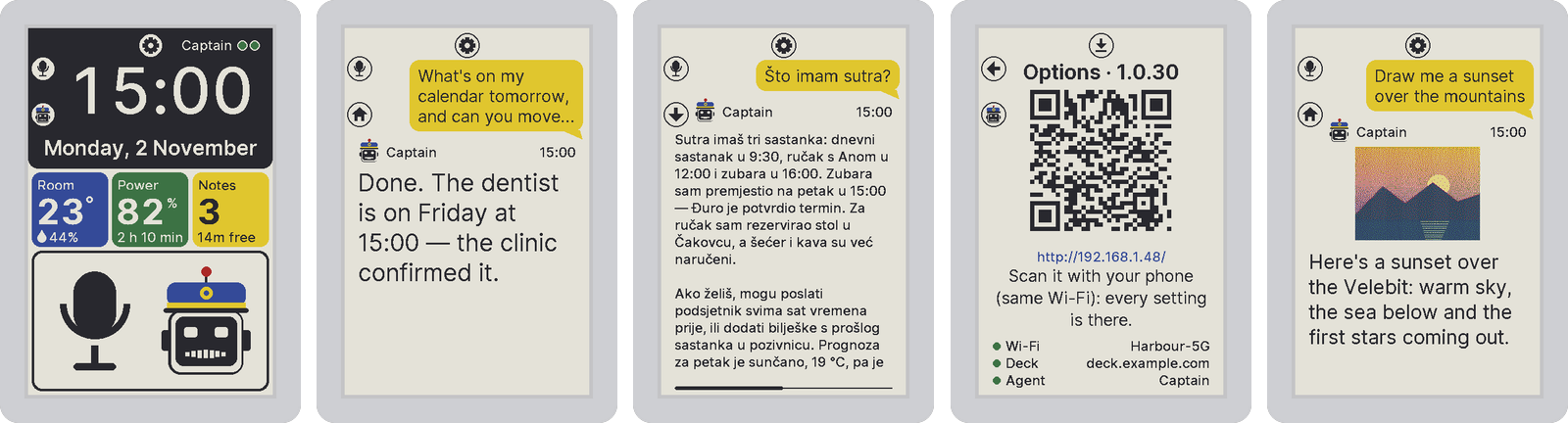
→ Devices and channels, with WhatsApp, Telegram, the smart-glasses HUD and agents in your inbox.
💻 Code — an engineering department, not a coding assistant
Describe what you want built. A router sizes the job; big work runs plan → your approval → build → three independent reviewers in parallel → triage → capped fix loop, every phase a git commit in the folder's own repo. Agents query a persistent Code Map instead of re-reading your tree, per-turn token costs are shown in chat, and the whole run exports as one auditable Markdown transcript.
Cursor and Claude Code give you one very good agent that plans, writes, reviews, and tests in a single context. Code splits those roles across independent agents — the reviewer never grades its own homework, QA actually runs the tests — and puts you at the approval gate before anything is built. A complete real run (an RTS game with 185 tests, ~$2.50 on DeepSeek) ships in examples/code/.
→ Code in the Flight Deck guide
Pick the right shape for the problem
One agent isn't always the answer — and one orchestration strategy never is. Captain Claw ships seven distinct modes, each tuned to a different kind of work.
| 🛠️ Agent Forge — describe a goal, an LLM designs the whole team (roles, models, tools, SOPs) | 🏛️ Agent Council — specialists deliberate across moderated rounds, then vote and synthesize |
 |  |
| 🔀 Basna — N agents answer the same question blind, merged by reliability into one high-confidence result | 🤝 Vatra — a team collaborates on a shared blackboard, each owning sections, improving over review rounds |
 |  |
The fifth mode is 💻 Code (above). The sixth is Flight Deck itself — spawn, monitor, and coordinate the whole crew from one dashboard. The seventh is 🦇 Bat, the stubborn finisher: checkpointed steps with retries, survives restarts, and stops only when an independent, fail-closed judge says the task is done.
More than orchestration
⚙️ Flows — a deterministic automation DSL (triggers, gosub, parallel spawn/join, on error), validated by a parser, not interpreted by an LLM | 🔭 Observatory — it keeps thinking when you're away: a live, auditable stream of thoughts, dreams, and standing intentions |
 |  |
- Plan Mode & Deep Mode — for when "probably right" isn't good enough: a reviewable DAG of verified steps, and frontier-quality answers via multiple rollouts + self-consistency voting + diverse-lens critics.
- 6-layer shared memory — working, semantic (vector + BM25), deep (full-text), insights, autonomous nervous system, and self-reflection, carried across sessions and across every agent. → Memory and cognition
- Shared Virtual File System — a host-sandboxed, per-user workspace the whole fleet reads and writes, with per-file authorship.
- Every model — OpenAI (API key or Sign in with ChatGPT), Anthropic, Google Gemini, DeepSeek, OpenRouter, Ollama and on-device LiteRT, mixed freely per agent. → Inside an agent
See it in action
Video guides on the Captain YouTube channel:
| The complete Captain guide — AI agents that do real work | The Captain admin tutorial — run your team's own AI agent platform |
|---|---|
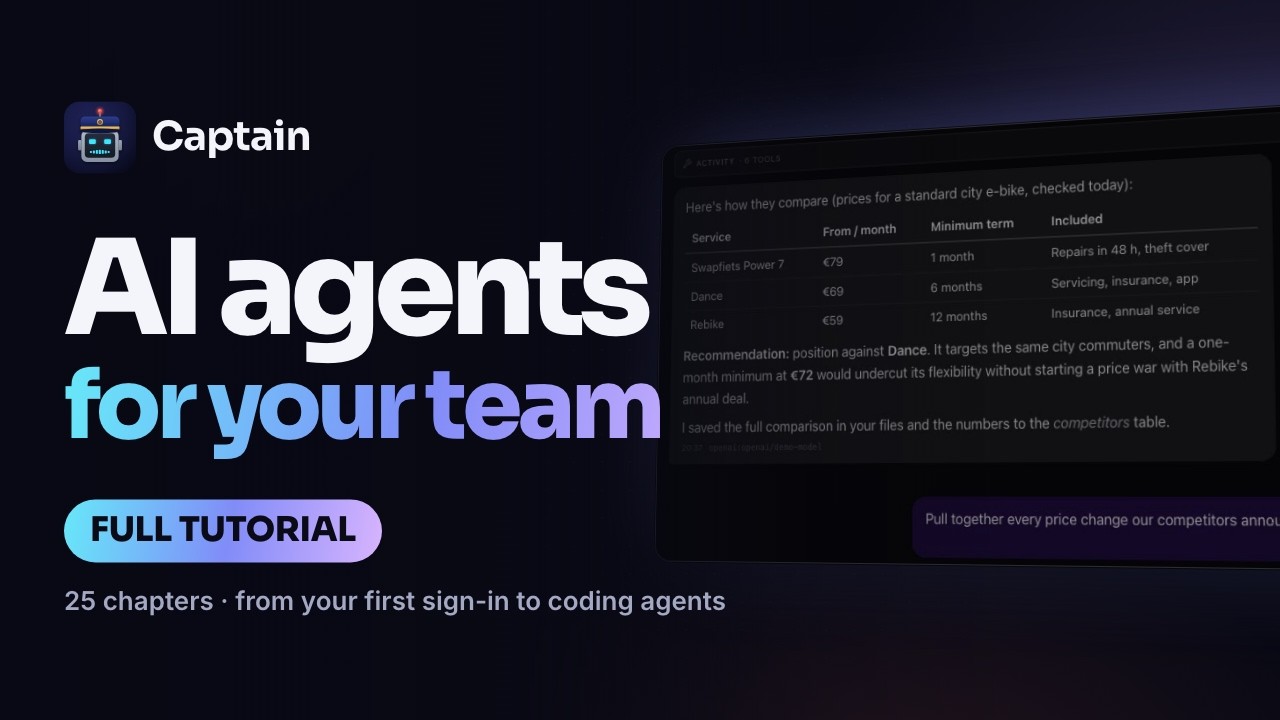 | 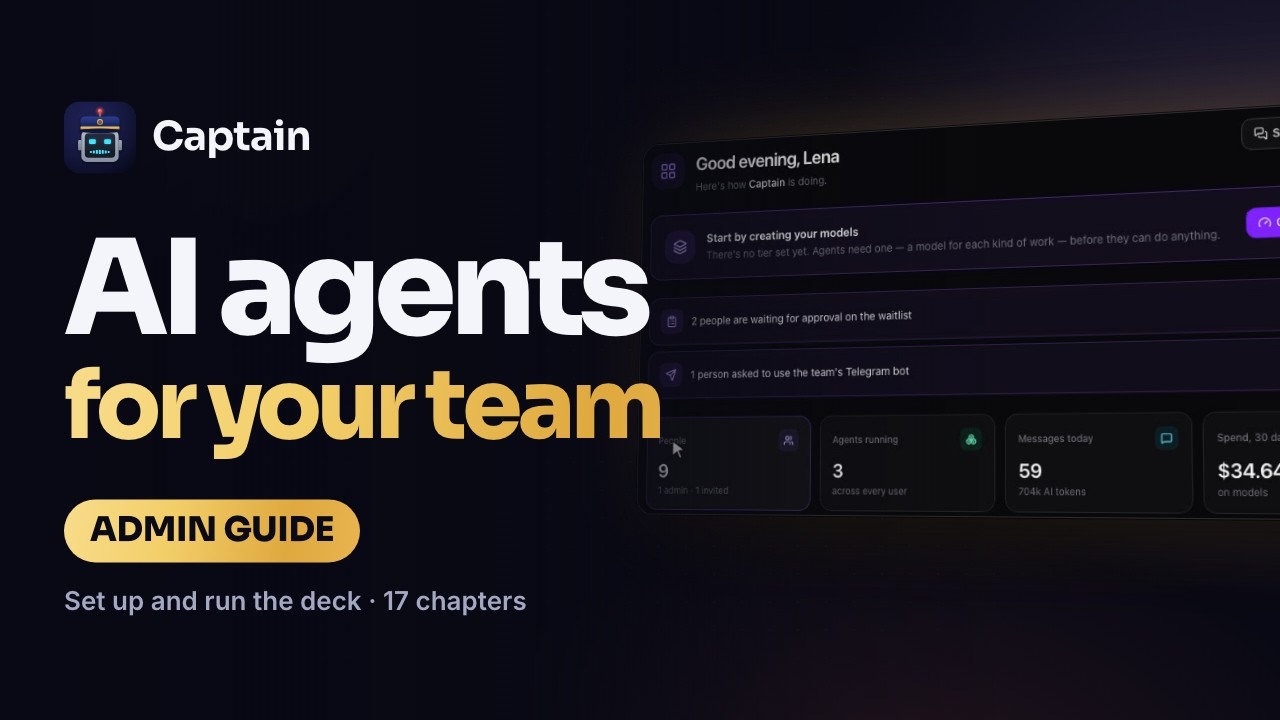 |

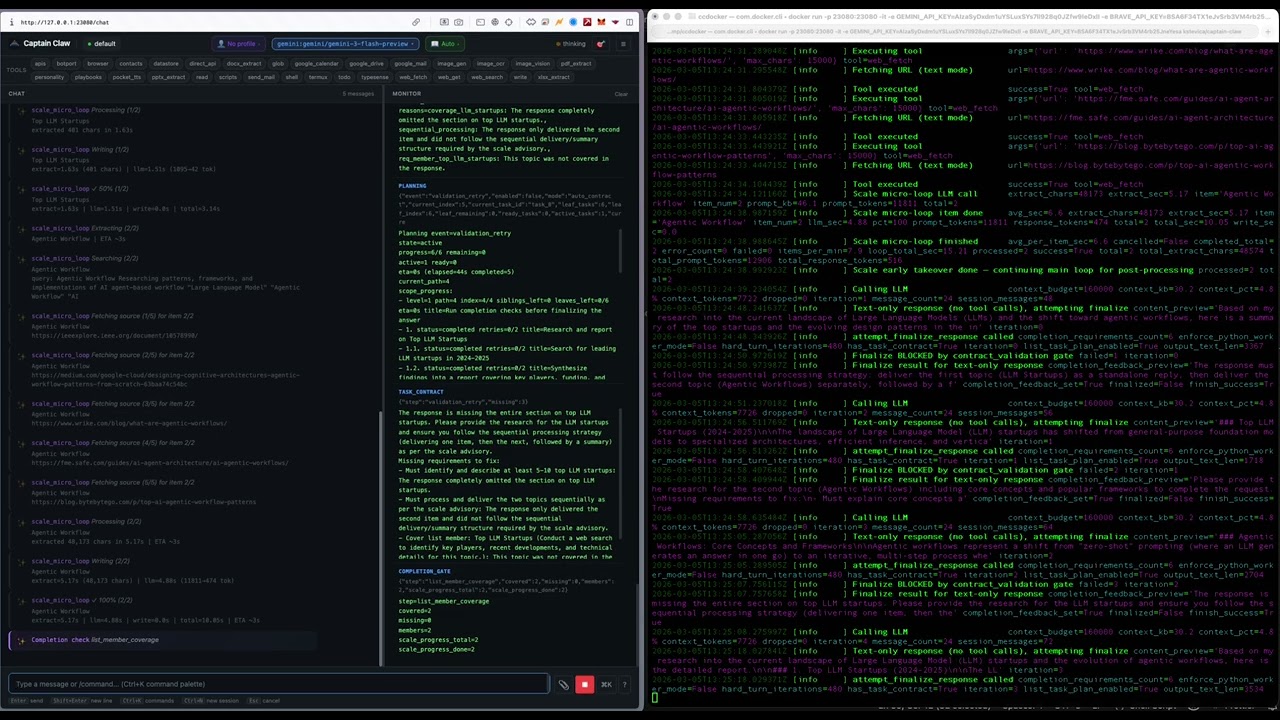
📚 Documentation
| Guide | What's inside |
|---|---|
| Getting started | Install and the launchers, a deck for a team, a voice device on your desk, Docker, configuration |
| Flight Deck | The command center: seven orchestration modes, Code, Crew, Forge agents, Plan and Deep mode, Flows, the kiosk, Onboarding, the Taskboard, activity and audit, running and updating a deck for a team |
| BotPort, MCP and agent links | Flight Decks that work together, Flight Deck as an MCP server for Claude, MCP servers for your agents, connecting your own systems |
| Devices and channels | StopWatch, PaperColor, StickS3 and Waveshare, the smart-glasses HUD, WhatsApp (and your own WhatsApp), Telegram, notifications, agents in your inbox |
| Memory and cognition | Six memory layers, the context engine, dreaming, the Brain Graph |
| Anonymization | Names, companies, addresses and numbers out before a model sees them, back when the answer comes home: the trusted model, the Anonymize page, files and folders, the privacy gate for your agents, Captain for Chrome, vaults and their history |
| Data rooms | A deal's data room anonymized into one vault for Claude: adding files, the run, review and Same party?, release, the Captain Data Rooms connector, results restored on the deck |
| Vatra, Basna and Council | Your agents as a team, step by step: which one to pick, starting a run in the kiosk or the full layout, reading the result, continuing and stopping |
| Inside an agent | Every supported model, the 81 built-in tools, safety guards, the agent web UI |
| Architecture | Where each component lives in the code |
| What's new | Every release, newest first |
Reference: USAGE.md (every command, tool and config key) · FLOWS.md (the Flow language) · Team deployment · BotPort deployment · Glasses HUD · Device firmware · Release notes · All guides
⭐ Star the repo
Captain Claw is MIT licensed and free forever — your data stays on your machine, bring your own keys or run 100% local with Ollama. It's built solo and growing fast, and every star helps another builder discover it. If it looks useful, would you give it a star?
<p align="center"> <a href="https://github.com/kstevica/captain-claw"><img src="https://img.shields.io/github/stars/kstevica/captain-claw?style=for-the-badge&logo=github&label=Star%20Captain%20Claw&color=gold" alt="Star Captain Claw on GitHub"></a> </p>License
Captain Claw alternatives
View more →Similar mcp servers in Coding Agents, ranked by GitHub stars. Compare licence, recent activity and scan status before you choose.
| Name | Stars | Licence | Last updated | Scan |
|---|---|---|---|---|
| Captain Claw (this page) kstevica | 186 | MIT | Nov 1, 2026 | Scanned, no flagged issues |
| Context Mode mksglu | 33k | None found | Nov 1, 2026 | Not scanned yet |
| Serena oraios | 31k | None found | Oct 28, 2026 | Not scanned yet |
| Fastmcp PrefectHQ | 28k | Apache-2.0 | Nov 1, 2026 | Scanned, no flagged issues |
| Nuclear nukeop | 19k | AGPL-3.0 | Nov 1, 2026 | Scanned, no flagged issues |
| MCP For Beginners microsoft | 18k | MIT | Oct 30, 2026 | Scanned, no flagged issues |