Comics Now MCP Server
 by ComicsNow
The modern, self-hosted comic book library server, smart reader, and AI-augmented cataloging platform
Comics Now is an open-source mcp server by ComicsNow, written mainly in JavaScript, with 17 GitHub stars and the AGPL-3.0 license. Its code was last updated Oct 31, 2026. The latest npm release is comics-now 4.2.0, published Nov 15, 2026, with 784 downloads last week.
Comics Now! 💥📚
<p align="center"> <strong>The modern, self-hosted comic book library server, smart reader, and AI-augmented cataloging platform.</strong> </p> <p align="center"> <a href="https://comicsnow.github.io/"><img src="https://img.shields.io/badge/Website-Live%20Interactive%20Demo-blue?style=flat&logo=googlechrome&logoColor=white" alt="Live Demo & Website"></a> <a href="https://www.npmjs.com/package/comics-now"><img src="https://img.shields.io/npm/v/comics-now.svg?color=cb3837&logo=npm" alt="npm version"></a> <a href="#quick-start-60-seconds"><img src="https://img.shields.io/badge/docker-ready-blue.svg?logo=docker" alt="Docker Ready"></a> <a href="https://github.com/ComicsNow/comics-now/pkgs/container/comics-now"><img src="https://img.shields.io/badge/ghcr.io-comics--now-2496ED.svg?logo=github" alt="GHCR Image"></a> <a href="https://github.com/ComicsNow/comics-now/actions/workflows/docker-publish.yml"><img src="https://github.com/ComicsNow/comics-now/actions/workflows/docker-publish.yml/badge.svg" alt="Build Status"></a> <a href="https://ko-fi.com/comicsnow"><img src="https://img.shields.io/badge/Ko--fi-Support-FF5E5B?logo=ko-fi&logoColor=white" alt="Support on Ko-fi"></a> <a href="docs/WIKI.md"><img src="https://img.shields.io/badge/docs-WIKI%20Manual-green.svg" alt="Documentation"></a> <a href="LICENSE"><img src="https://img.shields.io/badge/license-AGPL--3.0-orange.svg" alt="License"></a> </p>⚡ Why Comics Now!?
Most digital comic servers were built a decade ago as basic file browsers. Comics Now! re-imagines your comic library as a modern, intelligent web application designed for desktops, tablets, and phones:
- 🧠 Interactive Panel & Bubble Zoom (Guided View): Deep-learning panel and speech-bubble detection with optional Modal cloud GPU acceleration and visual authoring via GVE Now!.
- 🖼️ Fullscreen Page Preview Grid, Filmstrip & Scrubber: Navigate issues with a lazy-loaded page grid, precision scrubber, and touch-scrollable thumbnail filmstrip backed by cached WebP transcoding.
- 🔄 True Cross-Device Sync: Pick up right where you left off with real-time reading progress sync across phone, tablet, and desktop.
- 📱 Resumable Offline PWA: Install to iOS, iPadOS, Android, or desktop home screens with resumable downloads, Background Fetch, and automatic reconnect recovery.
- 🤖 Google Gemini AI Vision & Multi-Source Tagging: Enrich metadata from ComicVine, Metron, GCD, Goodreads, Amazon, Google Books, and web URLs with perceptual cover hashing and Gemini Vision cover matching.
- ⚡ High-Throughput SQLite Architecture: Instantaneous server boots with indexed reading lists and guarded startup migrations.
- 🎨 DC All In Typography & Clean 2-Line Hierarchy: Bold Anton display typography with electric blue selection halos and a 2-line layout (Series & Issue Number on Line 1, Story Title on Line 2) free of raw filename clutter.
- 📁 Configurable File & Folder Organization: 4-tab management panel with customizable token naming rules, folder hierarchy templates, live previews, and safe batch execution.
- 🔌 AI Model Context Protocol (MCP): Built-in Python MCP server exposing 60+ tools for Claude, Cursor, and Gemini to curate reading lists, tag comics from URLs, inspect covers, trigger guided view, and query your collection.
- 🛡️ Cloudflare Zero Trust Ready: Zero open ports needed with Cloudflare Access JWT authentication, granular publisher/series permissions, and admin impersonation.
- 🔐 AES-256-GCM Secrets Vault: All third-party API keys, scraper logins, and cloud GPU tokens are automatically encrypted at rest and masked in the UI.
- 📂 Metadata Mode & Folder Mode: Browse by metadata tags (Publisher → Series → Issue) or mirror your physical directory tree.
- 💻 Client-Side Local Reader: Drag and drop local CBZ/CBR files directly into the browser to read instantly—no upload required.
- 📖 E-Ink & Color E-Reader Modes: Anti-ghosting display modes for monochrome and color e-paper with automatic Kindle, Kobo, Onyx Boox, and PocketBook detection.
🎬 Live Interactive Demo & Showcase
Experience the full desktop, tablet, and mobile reader directly in your browser without installing anything:
👉 Launch Live Interactive Demo (comicsnow.github.io)
- 📖 Manga & Western Reader Demo — Test Manga Panel Zoom, Speech Bubble Zoom, Continuous Scrolling, and Anti-Ghosting E-Ink Modes on open-license titles.
- ✏️ GVE Now! Editor Demo — Test visual panel & dialogue bounding box authoring with zero-latency canvas rendering.
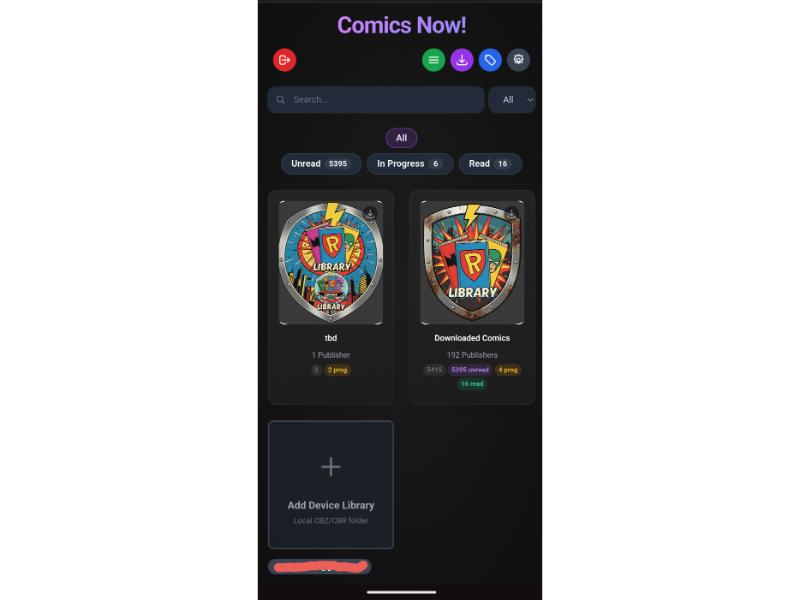 | 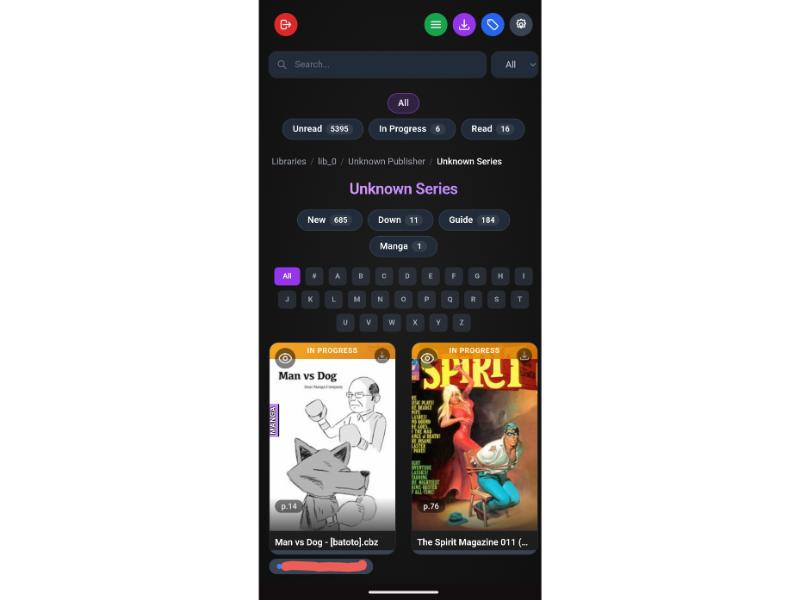 | 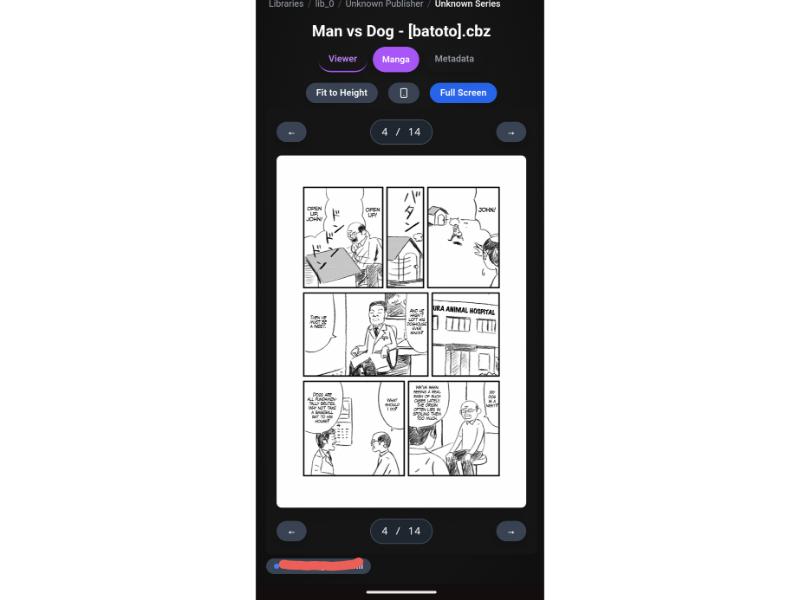 |
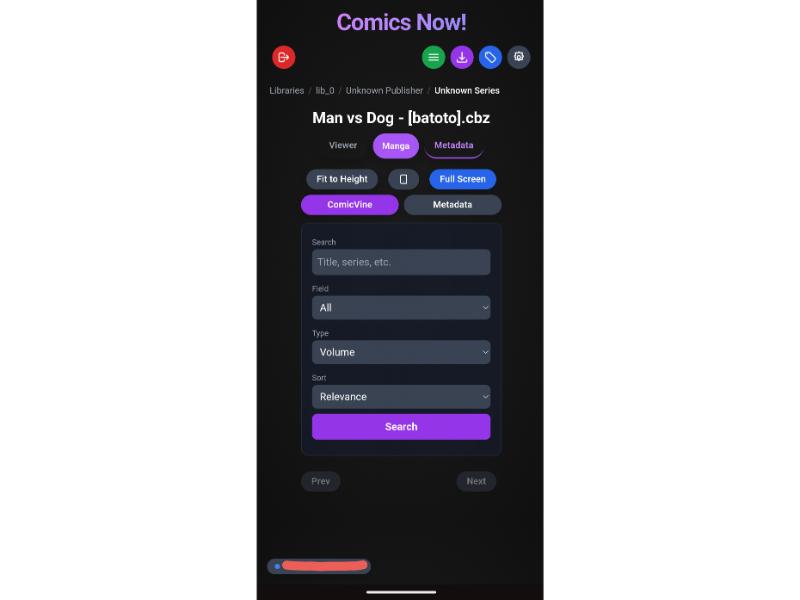 | 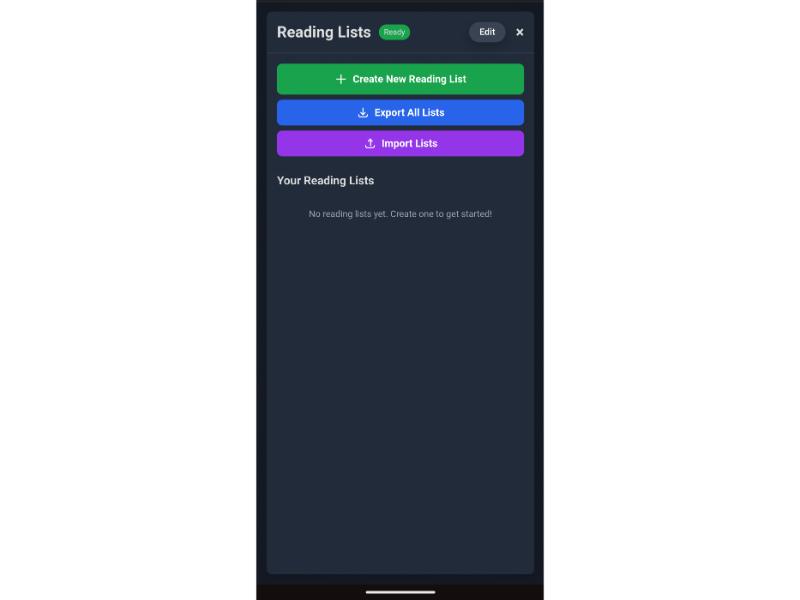 | 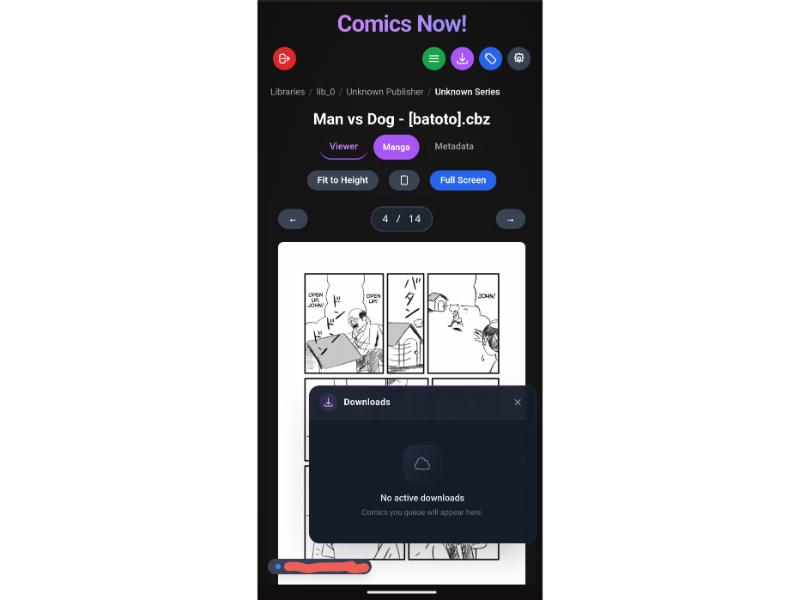 |
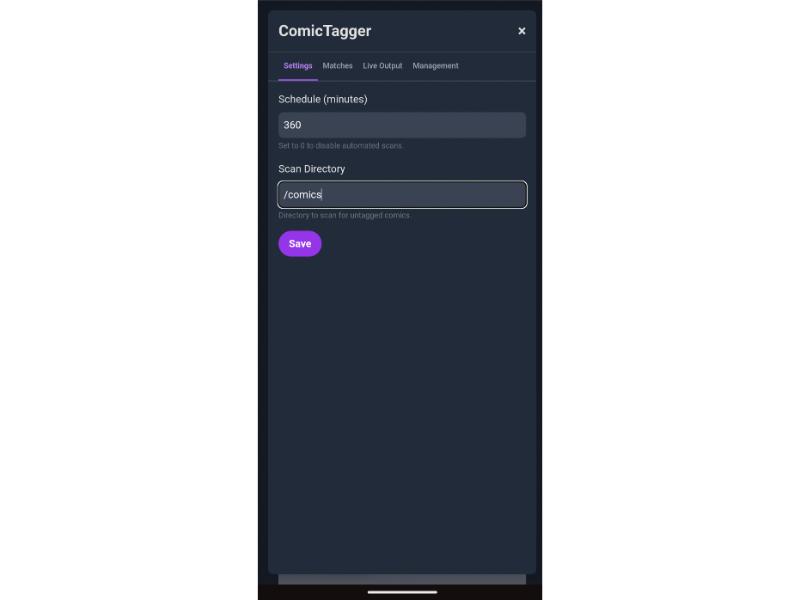 | 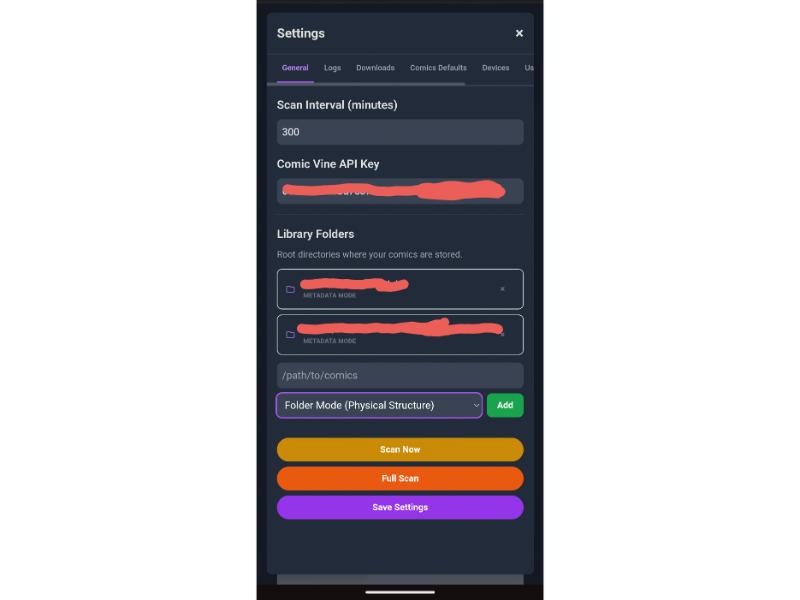 | 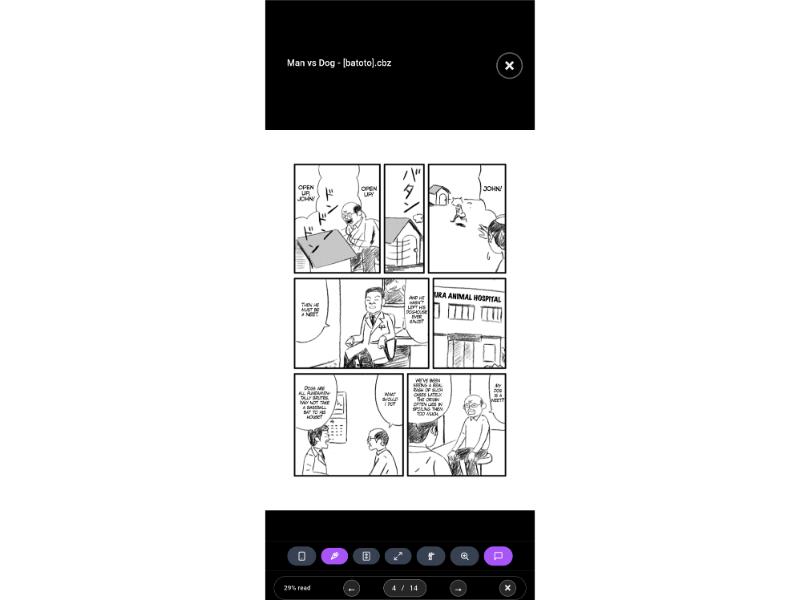 |
🚀 Quick Start (60 Seconds)
Option 1: Run Instantly with npx (No Setup Required)
# Point directly to your comic books folder
npx comics-now --comics /path/to/your/comics --port 3000
Or install globally:
npm install -g comics-now
comics-now --comics /path/to/your/comics
Option 2: Docker CLI
docker run -d \
  --name comics-now \
  -p 3000:3000 \
  -v $(pwd)/data:/app/data \
  -v /path/to/your/comics:/comics:ro \
  --restart unless-stopped \
  ghcr.io/comicsnow/comics-now:latest
Open http://localhost:3000 in your browser!
Option 3: Docker Compose
Save as docker-compose.yml:
services:
  comics-now:
    image: ghcr.io/comicsnow/comics-now:latest
    container_name: comics-now
    ports:
      - "3000:3000"
    environment:
      - NODE_ENV=production
      - DATA_DIR=/app/data
      - PORT=3000
    volumes:
      - ./data:/app/data
      - /path/to/your/comics:/comics:ro
    restart: unless-stopped
Launch with:
docker compose up -d
Option 4: Configuration Quick Start (config.json)
Comics Now! reads its persistent settings from data/config.json, using config.example.json as a template organized into [BOOT] (port, baseUrl, proxy/auth) and [UI] (libraries, API keys, tagger, scan settings):
mkdir -p data
cp config.example.json data/config.json
[UI] settings can be configured anytime in the web interface and are saved back to data/config.json with all API keys, passwords, and tokens automatically encrypted at rest using AES-256-GCM.
(For the full schema table, Cloudflare Zero Trust setup, and UI vs. file configuration rules, see the Wiki Configuration Reference.)
📖 Complete Documentation & Wiki
Looking for detailed setup guides, configuration tables, or workflow deep dives? Check out our comprehensive documentation manual:
👉 Read the Full Comics Now! Wiki Manual
Manual Highlights:
- Cloudflare Zero Trust & LAN Admin Configuration
- AES-256-GCM Secrets Encryption & Master Keys
- Granular Permissions & User Impersonation
- Metadata Mode vs. Folder Mode
- Sidecar vs. Database vs. Archive Write-Back
- Multi-Source Tagging, GCD & Auto-Renaming Engine
- Grand Comics Database (GCD) & Cover Cascade
- Smart Guided View & Reading Modes (Panel Zoom, Bubble Zoom, Continuous, Manga, E-Ink)
- Modal Serverless GPU Acceleration & $30 Free Tier Cap
- Fullscreen Thumbnail Filmstrip & Scrubber
- Authoring & Editing Guided View with GVE Now!
- Story Arcs & Continuity Engine
- Curating & Syncing Reading Lists to All Users
- Progressive Web App (PWA) Offline Installation & Doze Recovery
- UI Long-Press Context Menus & Actions
- Model Context Protocol (MCP) Setup for Claude & Cursor
⚡ Serverless GPU Acceleration (Modal)
Offload Guided View panel and speech-bubble detection from low-power home servers to Modal cloud NVIDIA T4 GPUs (~1–2s per batch). Modal includes $30.00/month in free compute credits (30,000+ pages/month).
[!WARNING] User Responsibility & Billing Safeguards: Configure a
$30.00monthly spending limit in your Modal account dashboard. Comics Now! includes budget monitoring and safe CPU fallback, but cannot control third-party billing accounts.
(See the Complete Modal Setup & Telemetry Guide in the Wiki.)
⚡ Story Arcs & Continuity Engine
For massive multi-title crossover events (Crisis on Infinite Earths, Civil War, Absolute Universe), Comics Now! integrates the ReadingOrders.com Story Arcs Engine:
- Gemini Flash AI Matching: High-confidence semantic matching across tie-ins, one-shots, and collected editions—leaving uncertain matches untouched.
- Multi-Arc ComicInfo Standard: Enriches files with ComicInfo v2.0/v2.1
<StoryArc>,<StoryArcNumber>,<StoryArcs>, and<SeriesGroup>tags, plus "Up Next in Arc" in-reader prompts. - Polite Live Sync: Real-time SSE sync console with conditional ETag caching.
(Read the Story Arcs Engine Docs in the Wiki.)
🎨 Companion App: GVE Now! (Guided View Editor)
Looking to visually fine-tune, re-sequence, or author panel coordinates from scratch? Meet GVE Now! — the dedicated visual editor companion for Comics Now!:
- 🖌️ Visual Bounding Box Editor: Click, drag, resize, and nudge panels and speech bubbles with 1:1 pixel precision.
- 🔢 Sequence & Flow Reordering: Drag-and-drop to adjust reading order for complex double-page spreads or dynamic layouts.
- ⚡ Shared Storage Architecture: Connects directly to Comics Now! via your
comicsNowRootpath — shares the SQLite database, metadata sidecars, and WebP page cache without duplicate files. - 🔄 Instant Live Sync: Saves directly to your collection; refresh Comics Now! to read your updated guided view immediately.
- 📦 Import & Export: Backup or share panel definitions across your library with JSON export/import.
👉 Explore the GVE Now! Repository & Setup Guide
🤖 Model Context Protocol (MCP) Integration
Comics Now! includes a built-in Python MCP server (mcp/) that lets your AI coding assistant or desktop agent manage your collection:
# Add to Claude Code
claude mcp add comics-now -- /path/to/comics-now/mcp/run.sh

# Or start directly
npm run mcp
What your AI agent can do:
- ⚡ "List all indexed story arcs for Marvel Comics and show which issues I am missing from Civil War."
- 🔍 "Create a chronological reading list for the Infinity Gauntlet event across all my comics."
- 🌐 "Tag comic #412 using this League of Comic Geeks / Comic Vine web URL."
- 🤖 "Use Gemini AI Vision to inspect the cover of comic #412 and identify its canonical publisher, series, and year."
- 🎨 "Inspect the cover of comic #412, verify the issue via web search, and tag the writer and artist."
- 📐 "Trigger incremental guided view panel detection for the Batman (2016) series."
- 📁 "Simulate file renaming and folder reorganization for my Marvel library using saved token rules."
- 📊 "Query SQLite for all unread Spider-Man comics published between 1985 and 1992."
(Read the MCP Architecture & Setup Guide for configuration details.)
🛠️ Bare Metal Installation
If you prefer running without Docker on Debian / Ubuntu / Raspberry Pi OS:
# 1. Install prerequisites
sudo apt update
sudo apt install -y nodejs npm python3 python3-pip python3-venv poppler-utils zip unrar

# 2. Clone repository & install dependencies
git clone https://github.com/ComicsNow/comics-now.git
cd comics-now
npm install
npm run build

# 3. Configure environment
cp .env.example .env

# 4. Start server
npm start
❤️ Support Comics Now!
If Comics Now! helps you enjoy and organize your comic book collection, consider buying a coffee to support continued development:

🤝 Contributing
Contributions, feature requests, and bug reports are warmly welcome!
- Fork the repository.
- Create your feature branch (
git checkout -b feature/amazing-feature). - Run automated tests (
npm test). - Commit your changes (
git commit -m 'feat: add amazing feature'). - Push to your branch and open a Pull Request.
📄 License
Comics Now! is free and open-source software licensed under the GNU Affero General Public License v3.0 (AGPL-3.0). See the LICENSE file for details.
Comics Now alternatives
View more →Similar mcp servers in Developer Tools, ranked by GitHub stars. Compare licence, recent activity and scan status before you choose.
| Name | Stars | Licence | Last updated | Scan |
|---|---|---|---|---|
| Comics Now (this page) ComicsNow | 17 | AGPL-3.0 | Oct 31, 2026 | Scanned, no flagged issues |
| MCP Use mcp-use | 11k | MIT | Oct 30, 2026 | Scanned, no flagged issues |
| MobileBuildMCP getsentry | 6.5k | MIT | Nov 1, 2026 | Scanned, no flagged issues |
| Gemini Notebook MCP CLI jacob-bd | 6.4k | MIT | Oct 27, 2026 | Scanned, no flagged issues |
| Mcporter openclaw | 5.1k | MIT | Oct 27, 2026 | Scanned, no flagged issues |
| Flint Chart microsoft | 4.5k | MIT | Nov 1, 2026 | Scanned, no flagged issues |