MCP Server Code Runner
 by formulahendry
Code Runner MCP Server
MCP Server Code Runner is an open-source mcp server by formulahendry, written mainly in TypeScript, with 242 GitHub stars and the MIT license. Its code was last updated Feb 5, 2026. The latest npm release is mcp-server-code-runner 0.1.8, published Sep 9, 2025, with 1,571 downloads last week.
Code Runner MCP Server


MCP Server for running code snippet and show the result.
It supports running multiple programming languages: JavaScript, PHP, Python, Perl, Perl 6, Ruby, Go, Lua, Groovy, PowerShell, BAT/CMD, BASH/SH, F# Script, C# Script, VBScript, TypeScript, CoffeeScript, Scala, Swift, Julia, Crystal, OCaml Script, R, AppleScript, Elixir, Clojure, Racket, Scheme, AutoHotkey, AutoIt, Kotlin Script, Dart, Haskell, Ni, Lisp, Kit, V, SCSS, Sass. Full list could be seen here in constants.ts.
<a href="https://glama.ai/mcp/servers/d3mluq4vy9"> <img width="380" height="200" src="https://glama.ai/mcp/servers/d3mluq4vy9/badge" alt="mcp-server-code-runner MCP server" /> </a>Setup
npx for VS Code
Install the Code Runner MCP server in VS Code using below buttons:


Alternatively, you can add configuration in settings.json:
{
  "mcp": {
    "inputs": [],
    "servers": {
      "mcp-server-code-runner": {
        "command": "npx",
        "args": [
          "-y",
          "mcp-server-code-runner@latest"
        ],
      }
    }
  }
}
npx for Claude Desktop
Configuration in claude_desktop_config.json:
{
  "mcpServers": {
    "mcp-server-code-runner": {
      "command": "npx",
      "args": [
        "-y",
        "mcp-server-code-runner@latest"
      ],
    }
  }
}
Docker
Use VS Code as example. Install the Code Runner MCP server in VS Code using below buttons:


Alternatively, you can add configuration in settings.json:
{
  "mcp": {
    "inputs": [],
    "servers": {
      "mcp-server-code-runner": {
        "command": "docker",
        "args": [
          "run",
          "--rm",
          "-i",
          "formulahendry/mcp-server-code-runner"
        ]
      }
    }
  }
}
npx issue on Widnows
On Windows, MCP servers may fail to connect with npx.
You could try below two workarounds:
use bunx
- Install Bun.
- In configuration, change
npxwithbunx.
use cmd
Below is VS Code configuration in settings.json:
{
  "mcp": {
    "inputs": [],
    "servers": {
      "mcp-server-code-runner": {
        "command": "cmd",
        "args": [
          "/c",
          "npx",
          "-y",
          "mcp-server-code-runner@latest"
        ],
      }
    }
  }
}
Run with Streamable HTTP Transport
npm install -g mcp-server-code-runner@latest
mcp-server-code-runner --transport http
Usage
Before using Code Runner MCP Server, please make sure interpreter or compiler of the programming language you want to run is set in PATH environment variable.
Try below prompts in the application which has configured Code Runner MCP Server:
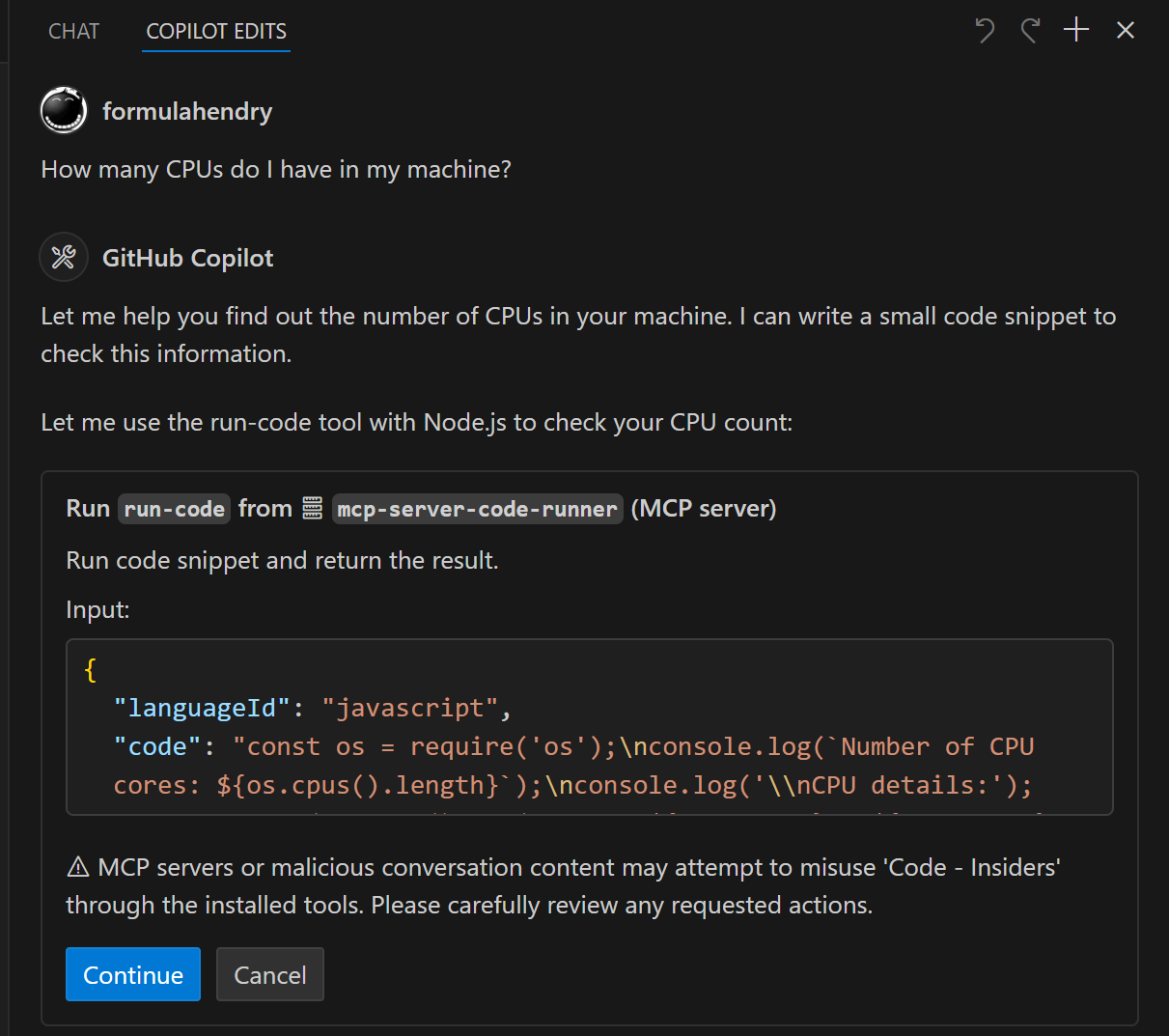
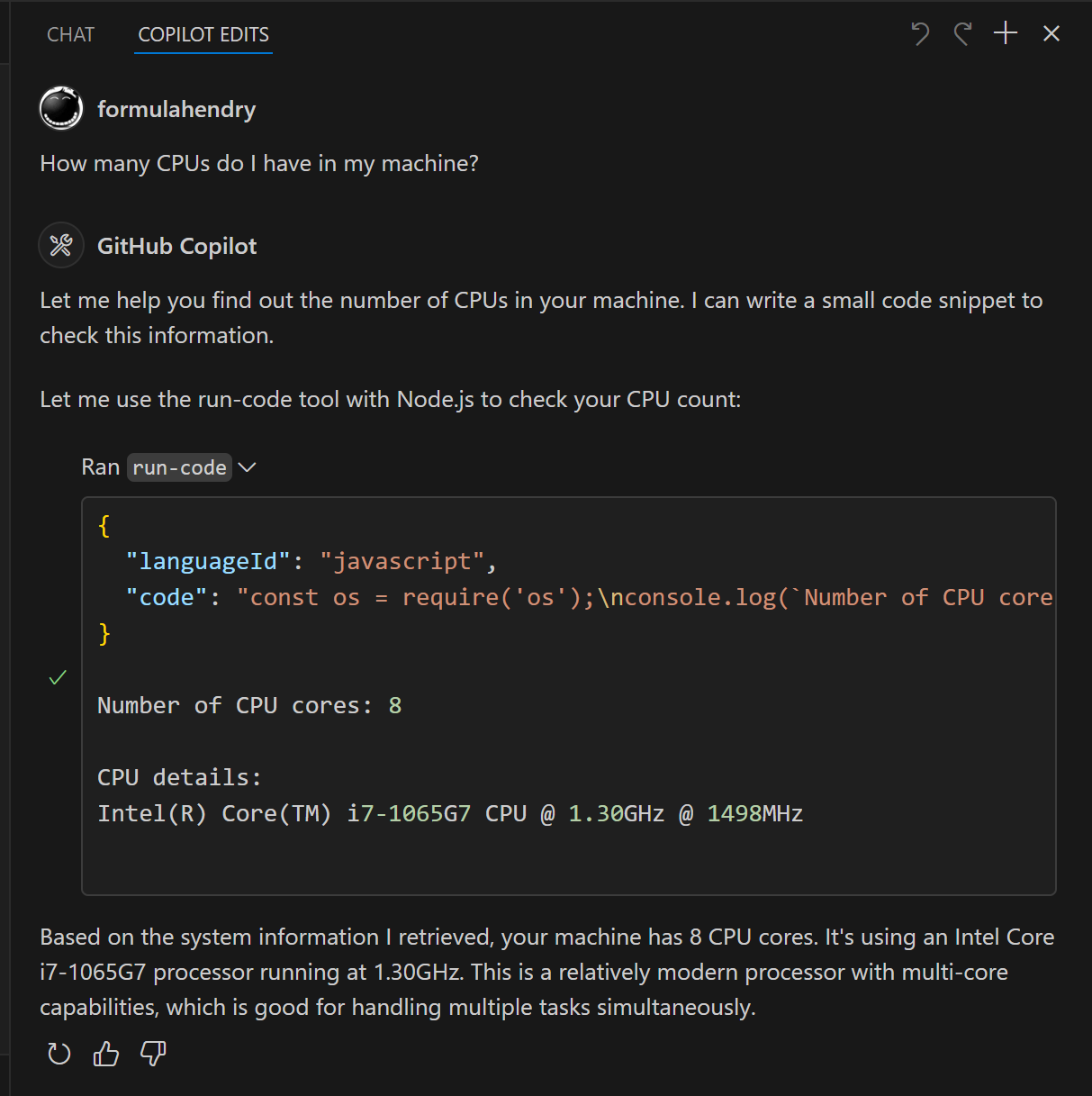
Run the JavaScript Code: console.log(5+6)Where is temporary folder in my OS? Use run-code toolHow many CPUs do I have in my machine? Use run-code tool
Build your own MCP Server
Want to build your own MCP Server? Try Yeoman Generator for MCP Server to create your MCP Server project!
MCP Server Code Runner alternatives
View more →Similar mcp servers in Other, ranked by GitHub stars. Compare licence, recent activity and scan status before you choose.
| Name | Stars | Licence | Last updated | Scan |
|---|---|---|---|---|
| MCP Server Code Runner (this page) formulahendry | 242 | MIT | Feb 5, 2026 | Scanned, no flagged issues |
| Github MCP Server github | 34k | MIT | Oct 30, 2026 | Scanned, no flagged issues |
| Fastapi MCP tadata-org | 12k | MIT | Nov 24, 2025 | Scanned, no flagged issues |
| GhidraMCP LaurieWired | 12k | Apache-2.0 | Oct 10, 2026 | Scanned, no flagged issues |
| MCP Go mark3labs | 9.2k | MIT | Oct 30, 2026 | Scanned, no flagged issues |
| Git MCP idosal | 8.5k | Apache-2.0 | May 8, 2026 | Scanned, no flagged issues |